
Elderly Care Robot Buying Guide: How to Choose the Right Care Robot
Choosing the right elderly care robot depends on the senior’s daily needs, home layout, safety risks, medication routine, caregiver support, comfort with technology, mobility level, privacy preferences, and independence goals. This buying guide explains how to compare elderly care robots, companion robots, healthcare robots, medication reminder robots, fall detection devices, monitoring robots, telepresence robots, smart home devices for seniors, and home assistant robots for aging in place.
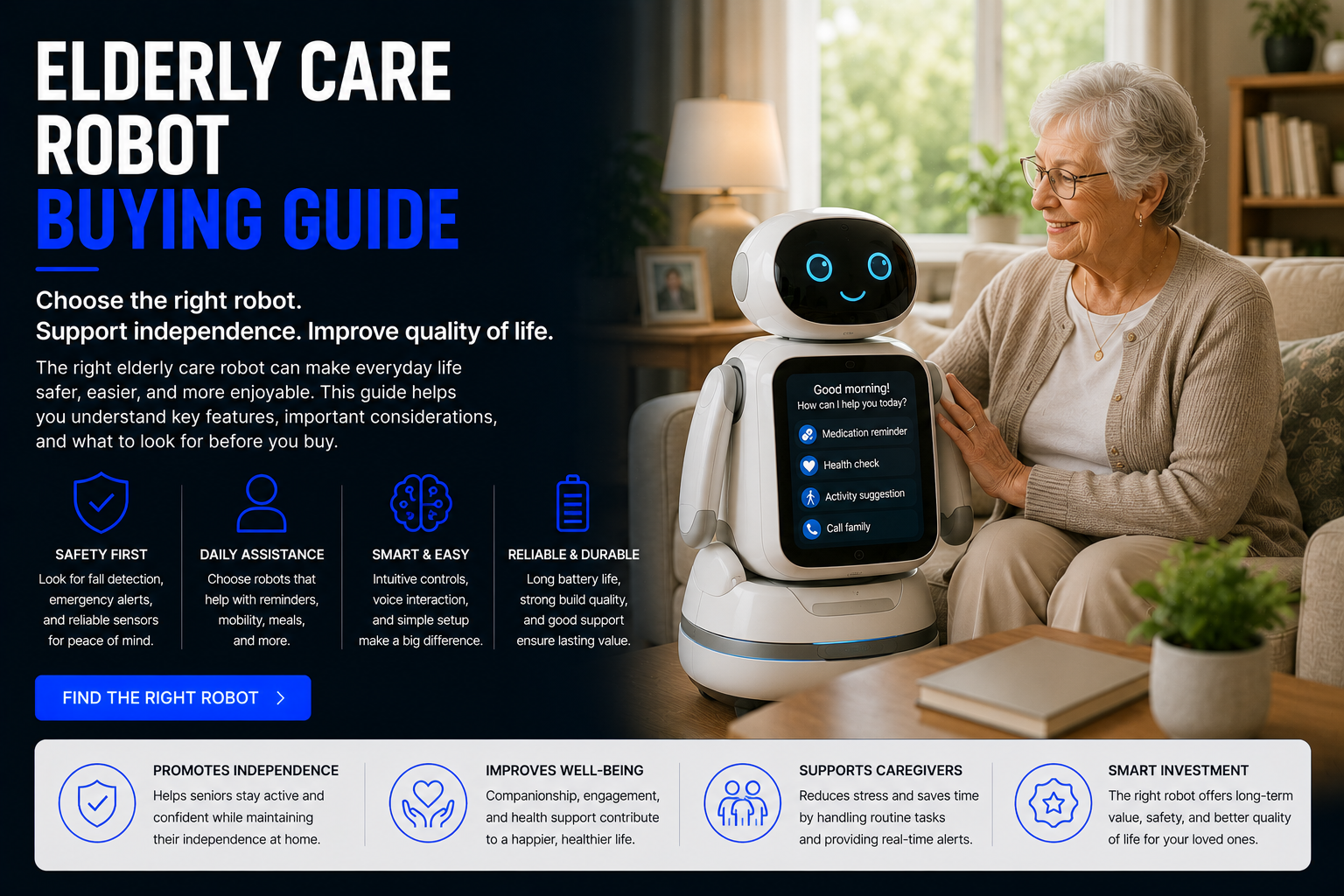
How Do You Choose the Right Elderly Care Robot?
To choose the right elderly care robot, start with the main problem you want to solve. Some families need medication reminders. Others need fall detection, home monitoring, companionship, remote caregiver check-ins, emergency alerts, daily routine prompts, or a simple way to help an elderly parent live independently at home.
The best care robot is not always the most advanced robot. For many seniors, the best choice is the easiest device to understand, hear, see, charge, and use consistently. A simple medication reminder device may be better than a complex AI robot if medication timing is the main concern. A fall detection device may be more important than a companion robot if safety is the priority.
Elderly care robots work best when they support a real care plan. They should not replace doctors, caregivers, emergency services, medication instructions, or family involvement. Instead, they can help create safer, more organized, more connected daily routines.
Important: Elderly care robots and healthcare devices should support professional medical guidance and caregiver planning. They should not be used to diagnose, treat, replace emergency care, or change medication routines.
Quick answer: choose based on the senior’s primary need first: medication reminders, fall detection, monitoring, companionship, caregiver communication, mobility support, daily routine prompts, or smart home assistance.
Elderly Care Robot Buying Guide
Identify the Main Care Need
Before comparing products, decide what daily problem matters most. If the concern is missed medication, focus on medication reminder robots or smart pill dispensers. If the concern is falls, focus on fall detection devices or monitoring systems. If loneliness is the issue, consider companion robots.
Buying a robot without identifying the main need often leads to wasted money. The right device should solve a specific problem in the home.
Match the Robot to the Senior’s Comfort Level
Some seniors enjoy smart devices and voice assistants. Others may feel overwhelmed by apps, screens, cameras, setup menus, or subscriptions. The easier the robot is to use, the more likely it is to become part of the daily routine.
Look for clear voice prompts, large buttons, simple screens, easy charging, and minimal setup. A senior-friendly robot should reduce stress, not create more confusion.
Consider Caregiver Alerts
Caregiver alerts can notify family members about missed medication, low battery, unusual activity, missed check-ins, emergency button presses, or fall events depending on the device.
For seniors living alone, caregiver alerts can provide peace of mind. For seniors with more independence, too many alerts may feel invasive. Balance safety and privacy.
Check Medication Support
Medication routines are one of the biggest reasons families consider elderly care robots. Some devices only remind. Others organize pills, dispense doses, lock compartments, or send missed-dose alerts.
For complex medication schedules, a dedicated smart pill dispenser may be better than a general companion robot. Always follow the schedule provided by a doctor, pharmacist, or healthcare professional.
Evaluate Fall Detection and Emergency Features
If falls are a concern, look at fall detection devices, emergency call buttons, wearable alerts, home monitoring devices, or sensor-based systems. No fall detection system is perfect, so emergency planning is still important.
The best system should be easy to wear or use, have reliable alerts, and connect to the right caregiver or emergency contact.
Think About Privacy
Some elderly care robots include cameras, microphones, motion sensors, cloud accounts, caregiver apps, or remote access. These features can be useful, but privacy must be respected.
Discuss monitoring openly with the senior when possible. Review who can see video, receive alerts, access data, or control the robot.
Check Wi-Fi, App, and Subscription Requirements
Many care robots need Wi-Fi, smartphone apps, cloud accounts, subscriptions, or cellular service. A device may look affordable upfront but cost more over time.
Compare the full cost, including monthly fees, monitoring plans, replacement parts, batteries, and accessories.
Test the Device Before Relying on It
After setup, test reminders, alerts, calls, emergency buttons, caregiver notifications, battery warnings, and daily prompts. Make sure the senior can hear, see, understand, and respond to the robot.
A device that works in theory may fail in real life if the user ignores it, cannot hear it, cannot charge it, or does not understand the prompts.
Elderly Care Robot Types Compared
| Care Robot Type | Best For | Main Benefit | Possible Limitation |
|---|---|---|---|
| Medication Reminder Robot | Daily medication routines | Helps with reminders and schedule organization | Does not replace medical supervision |
| Smart Pill Dispenser | Multiple medications | Can organize and release doses by time | Must be refilled correctly |
| Fall Detection Device | Seniors at fall risk | Can alert caregivers after a possible fall | No fall detection is perfect |
| Home Monitoring Robot | Seniors living alone | Remote check-ins and home visibility | Privacy and camera comfort matter |
| Companion Robot | Loneliness and engagement | Conversation, prompts, and routine support | Not a replacement for human connection |
| Telepresence Robot | Remote family visits | More interactive caregiver communication | Higher cost and setup complexity |
| Home Assistant Robot | Daily routines and smart home help | Can support reminders, calls, and automation | Features vary widely by model |
Most Important Features to Compare
Ease of Use
Simple controls, clear prompts, large buttons, readable screens, and easy charging matter more than complicated features.
Caregiver Alerts
Remote alerts can help family members know when medication is missed, a fall occurs, or check-ins are skipped.
Emergency Support
Emergency buttons, fall alerts, contact notifications, and backup plans are important for seniors living alone.
Medication Reminders
For many seniors, medication reminders are one of the most practical daily support features.
Battery and Charging
Low battery alerts, simple docks, and backup power can make care devices easier to maintain.
Privacy Controls
Cameras, microphones, caregiver apps, and monitoring features should be easy to understand and control.
Best Elderly Care Robot by Use Case
For Medication Reminders
Choose a medication reminder robot or smart pill dispenser with clear alerts, caregiver notifications, simple refilling, and support for the real medication schedule.
For Seniors Living Alone
A combination of fall detection, home monitoring, medication reminders, and caregiver communication may be better than one single device.
For Fall Risk
Prioritize fall detection devices, emergency buttons, wearable alerts, or monitoring systems. Make sure alerts reach the right person quickly.
For Loneliness
A companion robot may provide conversation, reminders, entertainment, daily prompts, and emotional engagement. It should complement real human contact.
For Remote Family Care
Telepresence robots and connected monitoring devices can help adult children check in from another home or city.
For Dementia or Memory Support
Families should work with healthcare professionals. Simple routines, caregiver alerts, locked medication systems, and clear prompts may be more appropriate than complex robots.
For Smart Home Support
Home assistant robots and smart speakers can help with reminders, lights, calls, calendars, routines, and voice control.
Who Should Consider an Elderly Care Robot?
Seniors Who Want Independence
Care robots can support aging in place by helping with reminders, communication, and safer routines.
Adult Children Supporting Parents
Caregiver alerts and remote check-ins can help families support elderly parents from a distance.
People Managing Multiple Medications
Smart pill systems and medication reminder robots can help organize complex routines.
Seniors at Fall Risk
Fall detection devices and monitoring systems may help caregivers respond faster after an incident.
Seniors Feeling Isolated
Companion robots may add daily engagement, prompts, and conversation support.
Caregivers Managing Busy Schedules
Connected care devices can help caregivers track routines without constant manual checking.
Budget vs Premium Elderly Care Robots
Budget elderly care devices are usually best for simple reminders, alarms, smart speaker support, basic medication prompts, or straightforward emergency buttons. They can be useful when the care need is simple and the senior does not need complex monitoring.
Premium elderly care robots may include caregiver apps, video calling, telepresence, movement, fall detection, AI conversation, home monitoring, companion features, or subscription-based support. These can be valuable when the senior needs more daily assistance or when caregivers need remote visibility.
The best value depends on the problem. Do not pay for premium robot features if the senior only needs a pill reminder. But do not choose a basic reminder if the real concern is falls, isolation, or living alone without regular check-ins.
Care Robot vs Smart Speaker vs Monitoring Device
A smart speaker can handle basic reminders, timers, calls, music, and smart home control. It is usually affordable and easy to place around the home.
A monitoring device can help with activity awareness, fall alerts, cameras, motion sensors, or caregiver notifications. It may be better for safety-focused families.
A care robot may combine interaction, reminders, companionship, telepresence, and daily prompts. It can feel more personal, but it may also cost more and require more setup.
For many families, the best elderly care technology setup may include more than one device: a medication reminder, fall detection tool, smart speaker, and caregiver communication system.
Safety and Privacy Checklist
- Confirm the real care need: Medication, falls, loneliness, monitoring, or communication.
- Review privacy settings: Cameras, microphones, recordings, and caregiver access should be understood.
- Test emergency alerts: Make sure notifications go to the right person.
- Check Wi-Fi reliability: Connected devices need stable internet.
- Plan for power outages: Know what happens if the device loses power.
- Make setup simple: The senior should not need complicated daily steps.
- Respect consent: Monitoring should be discussed clearly whenever possible.
- Use medical guidance: Do not change medication routines based on the device alone.
- Have a backup plan: Robots and smart devices can fail.
- Train the user: Practice using reminders, buttons, calls, alerts, and charging.
Common Mistakes When Choosing an Elderly Care Robot
- Buying the most advanced robot first: More features do not always mean better support.
- Ignoring the senior’s comfort: If the senior dislikes the device, it will not help.
- Choosing without caregiver input: Caregivers often manage setup, alerts, and maintenance.
- Forgetting subscriptions: Some devices require monthly fees.
- Assuming fall detection is perfect: No system replaces emergency planning.
- Ignoring privacy concerns: Cameras and monitoring can feel invasive.
- Buying a companion robot for a safety problem: Loneliness and fall risk require different tools.
- Buying a pill reminder for a monitoring problem: Match the device to the actual need.
- Skipping setup testing: Reminders and alerts must be tested before relying on them.
- Expecting robots to replace humans: Elderly care robots support care but do not replace caregivers.
Are Elderly Care Robots Worth It?
Elderly care robots can be worth it when they solve a real daily problem. A medication reminder robot can help with pill routines. A fall detection device can support safety awareness. A monitoring robot can help caregivers check in. A companion robot can support engagement.
They are not worth it when they are too complicated, poorly matched to the senior’s needs, uncomfortable from a privacy standpoint, or purchased without a plan for setup and follow-up.
For aging in place, elderly care robots can be part of a larger support system that includes family, caregivers, healthcare professionals, home safety improvements, smart home devices, and emergency planning.
Future of Elderly Care Robots
Elderly care robots are likely to become more useful as AI assistants, sensors, voice technology, home monitoring, telepresence, fall detection, and healthcare reminders improve. Future care robots may better understand routines, detect changes in activity, remind users about medication, support doctor appointments, and help caregivers stay informed.
The future of care robots will likely focus on supporting aging in place. Seniors may use companion robots, home assistant robots, medication reminder devices, telepresence robots, and monitoring systems together as part of a connected care environment.
The goal is not replacing human care. The goal is making home care safer, more organized, more connected, and easier to manage.
Related Elderly Care Robot Guides
Related Home Robot Guides
Elderly Care Robot Buying Guide FAQ
What is an elderly care robot?
An elderly care robot is a robot or smart device that supports seniors with reminders, monitoring, communication, companionship, safety alerts, or daily routines.
How do I choose an elderly care robot?
Start with the main need: medication reminders, fall detection, monitoring, companionship, caregiver communication, or smart home support.
Are elderly care robots worth it?
They can be worth it when they solve a real daily problem and are easy for the senior and caregiver to use.
Can elderly care robots remind seniors to take medication?
Some can. Dedicated medication reminder robots or smart pill dispensers are usually better for complex medication schedules.
Can elderly care robots detect falls?
Some devices include fall detection, but no system is perfect. Emergency planning is still important.
Can elderly care robots replace caregivers?
No. They can support care routines but do not replace caregivers, medical professionals, or emergency services.
What is the best robot for seniors living alone?
The best option depends on whether the main concern is falls, medication, loneliness, monitoring, or remote family communication.
Are companion robots good for seniors?
They can help with engagement, reminders, and companionship, but they should complement human interaction.
Do elderly care robots need Wi-Fi?
Many connected devices require Wi-Fi, apps, or cloud services. Basic reminder devices may not.
Do elderly care robots have monthly fees?
Some have subscriptions for monitoring, cellular service, apps, or emergency response features.
Are elderly care robots private?
Privacy depends on cameras, microphones, data storage, and caregiver access. Review settings carefully.
What features matter most?
Ease of use, caregiver alerts, medication support, fall detection, emergency features, battery life, privacy, and setup simplicity matter most.
Can smart speakers work as elderly care devices?
Smart speakers can help with reminders, calls, and smart home control, but they may not offer specialized care features.
Should I choose a robot or fall detection device?
If fall risk is the main concern, choose fall detection first. If companionship is the concern, a companion robot may fit better.
What is the biggest buying mistake?
Buying a device that is too complicated or does not match the senior’s real daily need.
Can elderly care robots help with aging in place?
Yes, they can support aging in place when combined with caregivers, medical guidance, home safety, and emergency planning.
Are elderly care robots good for dementia?
Some tools may help with reminders and routines, but dementia care should involve healthcare professionals and caregiver supervision.
Who should set up an elderly care robot?
A caregiver, family member, or responsible adult should help with setup, testing, alerts, charging, and privacy settings.
Can elderly care robots call family?
Some companion robots, smart displays, and telepresence robots support calls or caregiver check-ins.
Should I ask a doctor before using one?
For medication, health monitoring, fall risk, or memory issues, it is wise to involve a doctor, pharmacist, or healthcare professional.
Shop Elderly Care Robots
The right elderly care robot should match the senior’s real daily needs, not just the newest technology. Compare medication reminder robots, fall detection devices, healthcare robots, companion robots, monitoring robots, telepresence robots, smart home devices, and home assistant robots before choosing the best care robot for your home.
Shop Elderly Care Robots