
Best Companion Robots for Seniors and Elderly Adults
Explore the best companion robots for seniors. Compare social interaction, reminders, safety features, and AI-powered assistance for independent living. This guide compares the main options, practical benefits, limitations, maintenance, safety, and long-term value.
As an Amazon Associate, HomeBotGuide may earn from qualifying purchases at no extra cost to you.
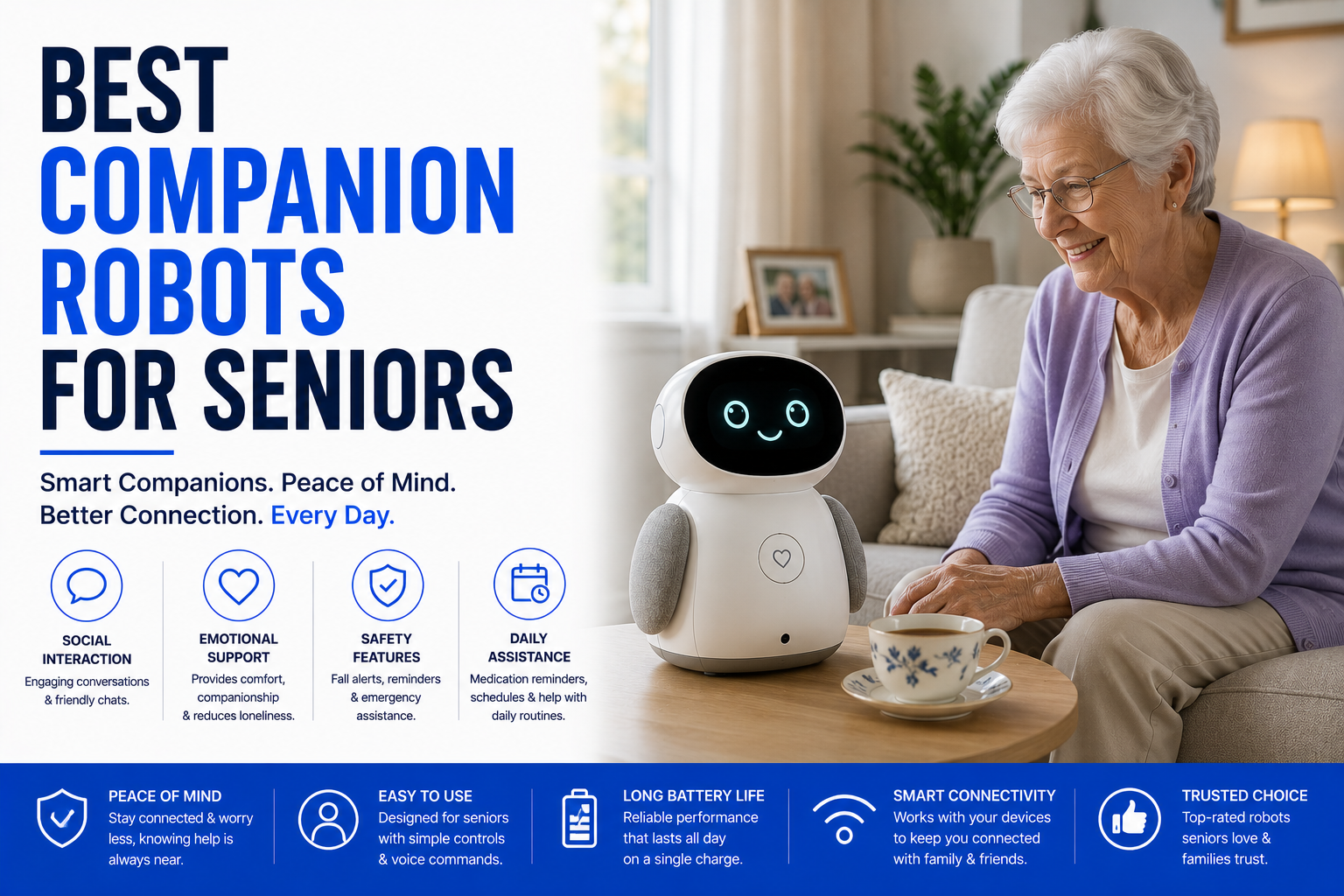
The best companion robot for a senior should be easy to understand, respectful of privacy, useful without complicated setup, and matched to the person's preferences. Social robots can support conversation, routines, games, and connection, but they should supplement—not replace—family, caregivers, healthcare, or emergency support.
Best Companion Robots for Seniors and Elderly Adults at a Glance
Provides dialogue, games, music, and daily engagement.
Supports mobile video visits and remote presence.
Offers touch-responsive comfort without complex controls.
Prompts appointments, hydration, and daily activities.
Best Companion Robots for Seniors and Elderly Adults Comparison Table
| Type | Best For | Core Features | Important Limitation |
|---|---|---|---|
| Conversational Robot | Engagement and routines | Voice interaction, games, reminders | Cloud dependence |
| Telepresence Robot | Family visits | Mobile video and remote navigation | High cost |
| Robotic Pet | Comfort and sensory engagement | Touch, sound, movement | Limited practical assistance |
| Smart Display Companion | Simple calls and reminders | Large screen and voice control | No mobility |
| Monitoring Companion | Remote awareness | Camera, alerts, communication | Privacy concerns |
| Reminder Device | Daily routines | Simple prompts and schedules | No social presence |
What to Consider First
Start with the real environment, user needs, safety requirements, access, power, privacy, and maintenance. The strongest option is the one that fits the actual routine reliably.
- Match the product to the real task and environment.
- Check safety, power, privacy, and access requirements.
- Review maintenance and replacement-part needs.
- Keep a manual or human backup available.
Main Options to Consider
Voice interaction, games, reminders
Mobile video and remote navigation
Touch, sound, movement
Large screen and voice control
Start with the Senior's Preferences
A robot should be introduced with consent and matched to the person's communication style and comfort with technology.
- Confirm compatibility with the actual user or environment.
- Review safety, privacy, and maintenance requirements.
- Test access, navigation, alerts, and backup plans.
- Keep human or manual support available.
Social Interaction
Conversation, music, stories, and games may support engagement, especially when they connect to real human contact.
- Confirm compatibility with the actual user or environment.
- Review safety, privacy, and maintenance requirements.
- Test access, navigation, alerts, and backup plans.
- Keep human or manual support available.
Telepresence
Mobile video robots let relatives visit remotely and move between rooms.
- Confirm compatibility with the actual user or environment.
- Review safety, privacy, and maintenance requirements.
- Test access, navigation, alerts, and backup plans.
- Keep human or manual support available.
Robotic Pets
Robotic cats and dogs can provide tactile and emotional engagement without feeding or walking.
- Confirm compatibility with the actual user or environment.
- Review safety, privacy, and maintenance requirements.
- Test access, navigation, alerts, and backup plans.
- Keep human or manual support available.
Reminders
Devices can prompt appointments and routines but cannot verify that medical tasks were completed safely.
- Confirm compatibility with the actual user or environment.
- Review safety, privacy, and maintenance requirements.
- Test access, navigation, alerts, and backup plans.
- Keep human or manual support available.
Privacy
Cameras, microphones, cloud services, and family access require clear permissions and secure accounts.
- Confirm compatibility with the actual user or environment.
- Review safety, privacy, and maintenance requirements.
- Test access, navigation, alerts, and backup plans.
- Keep human or manual support available.
Home Compatibility
Hearing, vision, dexterity, Wi-Fi, floor layout, and charging access affect usability.
- Confirm compatibility with the actual user or environment.
- Review safety, privacy, and maintenance requirements.
- Test access, navigation, alerts, and backup plans.
- Keep human or manual support available.
Human Support Remains Essential
Companion robots should complement caregivers, social programs, and regular family contact.
- Confirm compatibility with the actual user or environment.
- Review safety, privacy, and maintenance requirements.
- Test access, navigation, alerts, and backup plans.
- Keep human or manual support available.
Automation Still Requires Oversight
Connected robots reduce repetitive work or improve remote access, but they still require setup, supervision, maintenance, secure accounts, and backup plans.
How We Evaluated the Options
We prioritized practical usefulness, safety, reliability, navigation, communication, maintenance, privacy, replacement parts, warranty, and total ownership value.
Final Verdict
The best companion robot for a senior should be easy to understand, respectful of privacy, useful without complicated setup, and matched to the person's preferences. Social robots can support conversation, routines, games, and connection, but they should supplement—not replace—family, caregivers, healthcare, or emergency support.
Best Companion Robots for Seniors and Elderly Adults FAQ
Can companion robots help senior loneliness?
They may provide engagement, especially when combined with real human contact.
Are robotic pets useful?
They can offer comfort and sensory interaction for some users.
Can companion robots remind seniors about medication?
They can provide reminders but should not replace medication management.
Do they require internet access?
Many conversational and telepresence features do.
Are they easy to use?
Ease varies, so simple controls and family setup support matter.
Can they call family members?
Telepresence robots and smart displays often can.
Are cameras always on?
That depends on the model and privacy settings.
Can companion robots detect emergencies?
Some offer alerts, but dedicated medical alert systems are safer.
Do seniors accept companion robots?
Acceptance varies by personality, cognition, and how the device is introduced.
What is the biggest limitation?
They cannot replace human companionship or caregiving.