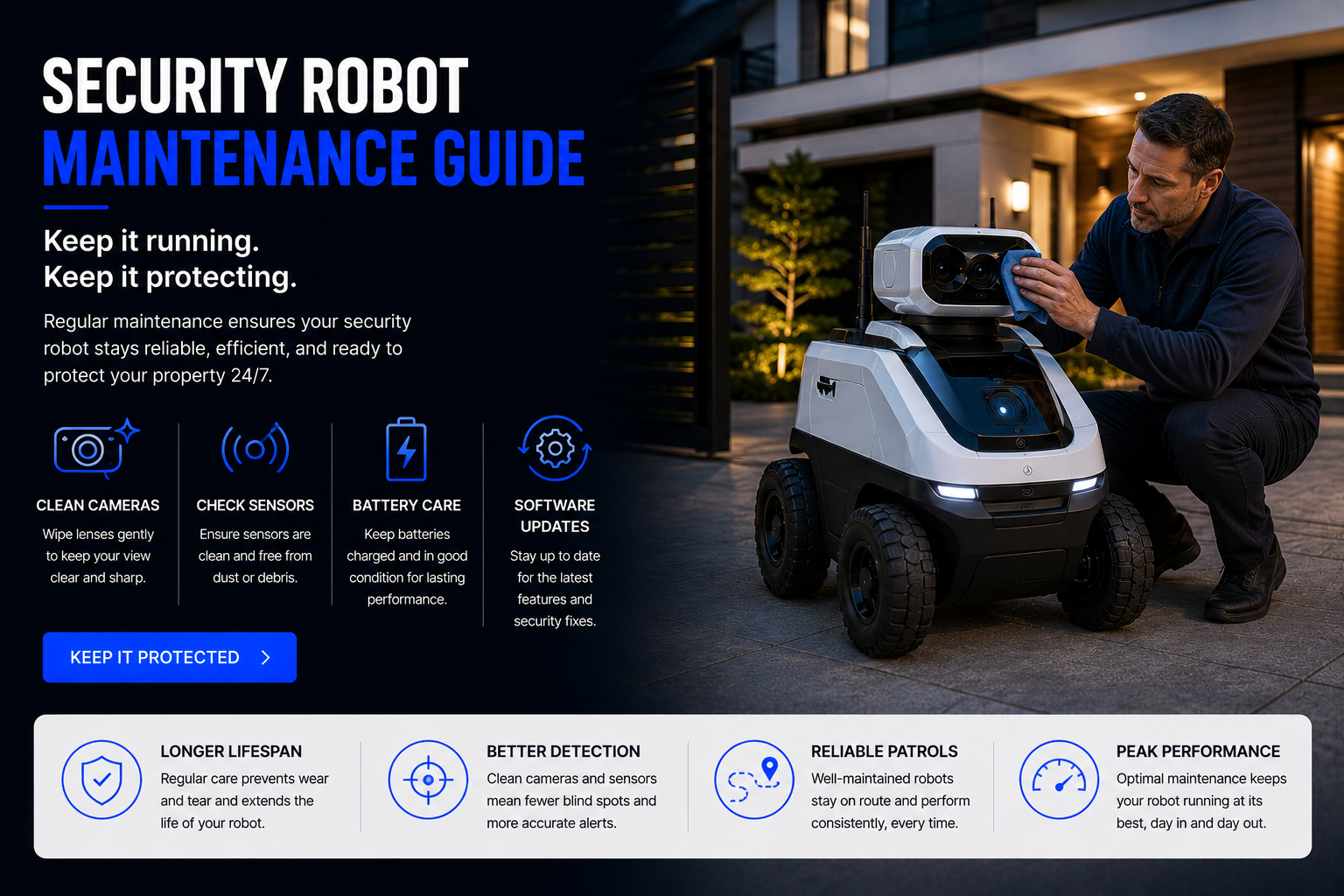
Security Robot Maintenance Guide: Keep Your Security Robot Performing Its Best
A home security robot can help with mobile monitoring, AI alerts, indoor patrols, outdoor surveillance, pet check-ins, elderly caregiver check-ins, garage monitoring, and smart home security, but it needs regular maintenance to stay reliable. This guide explains how to clean cameras, protect sensors, maintain batteries, check wheels, update software, manage storage, improve Wi-Fi, protect privacy, and keep indoor and outdoor security robots working their best.
How Do You Maintain a Security Robot?
To maintain a security robot, clean the camera lens, wipe sensors, check wheels or tracks, inspect charging contacts, test night vision, update firmware, review app alerts, manage video storage, check battery health, protect privacy settings, test Wi-Fi coverage, and make sure the robot can dock, patrol, record, and send notifications correctly.
Security robots are different from basic home gadgets because they are expected to work when something important happens. A dirty camera, weak battery, clogged wheel, outdated firmware, bad Wi-Fi signal, full storage card, disabled alert, or blocked sensor can make the robot less useful when you need it most.
Good maintenance does not need to be complicated. A simple weekly and monthly routine can help your home security robot stay ready for indoor monitoring, outdoor patrols, pet checks, elderly care check-ins, garage checks, vacation monitoring, and general smart home protection.
Important: A security robot should support your home security plan, not replace locks, alarms, emergency services, outdoor lighting, camera systems, or common-sense safety habits.
Quick answer: keep the camera clean, sensors clear, wheels free of debris, battery charged, firmware updated, alerts tested, storage available, Wi-Fi strong, and privacy settings reviewed.
Security Robot Maintenance Guide
Clean the Camera Lens
The camera is the most important part of a security robot. Dust, fingerprints, pet hair, pollen, water spots, garage dust, or outdoor grime can make video blurry and reduce the usefulness of AI detection.
Use a soft microfiber cloth to gently wipe the camera lens. Avoid harsh chemicals unless the manufacturer allows them. For outdoor security robots, check the lens more often because rain, dust, pollen, and insects can reduce clarity.
Wipe Sensors and Detection Areas
Security robots may use motion sensors, obstacle sensors, infrared sensors, edge sensors, depth sensors, bump sensors, or AI camera detection. Dirty sensors can cause missed alerts, navigation errors, false notifications, or poor obstacle avoidance.
Wipe sensor windows carefully with a soft dry cloth. Do not spray liquid directly into sensor openings, vents, cameras, microphones, or charging areas.
Check Wheels, Tracks, and Moving Parts
Security robots that move through rooms, garages, patios, or outdoor areas can collect hair, dust, string, leaves, dirt, carpet fibers, pet fur, and small debris around wheels or tracks.
Inspect the movement system regularly. Remove trapped debris and make sure the robot can turn, drive, dock, and patrol without dragging or getting stuck.
Clean Charging Contacts and Docking Area
A security robot is only useful if it stays charged. Dirty charging contacts, dust near the dock, poor dock placement, or blocked access can prevent reliable charging.
Wipe charging contacts gently, keep the dock area clear, and make sure the robot can return to its base without obstacles. Test docking after moving furniture or changing the room layout.
Update Firmware and App Software
Firmware updates can improve security, fix bugs, improve AI alerts, improve navigation, enhance privacy controls, and patch vulnerabilities. Security devices should not be left outdated.
Check the app for firmware updates regularly. Also keep the companion app updated on your phone so alerts, live view, privacy controls, and remote driving work correctly.
Test Alerts and Notifications
Security robots rely on alerts. If phone notifications are disabled, app permissions are blocked, subscriptions expire, or motion zones are misconfigured, you may miss important events.
Test motion alerts, person detection, pet alerts, sound alerts, low-battery alerts, docking alerts, and emergency notifications if your model supports them.
Review Video Storage
Some security robots use cloud storage, local storage, microSD cards, or event history. If storage is full, disconnected, expired, or misconfigured, video clips may not save correctly.
Check storage settings, subscription status, local card health, event history, and how long clips are saved. Make sure the storage method matches your privacy and budget preferences.
Check Wi-Fi Coverage
Weak Wi-Fi can cause delayed alerts, frozen video, failed live view, poor remote driving, missed uploads, and unreliable patrols. This is especially common in garages, outdoor areas, large homes, and detached buildings.
Test the robot in the areas where you expect it to work. If the signal is weak, consider mesh Wi-Fi, an outdoor access point, router repositioning, or using fixed cameras in weak-signal zones.
Review Privacy and User Access
Security robots often include cameras, microphones, cloud accounts, app permissions, remote access, and user sharing. Maintenance includes checking who can view video, control the robot, receive alerts, or access stored clips.
Remove old users, update passwords, enable two-factor authentication if available, review microphone settings, and use privacy mode when monitoring is not needed.
Inspect Outdoor Robots More Often
Outdoor security robots face tougher conditions than indoor robots. Rain, dust, heat, cold, pollen, leaves, insects, mud, sunlight, and uneven terrain can affect performance faster.
For outdoor models, inspect seals, wheels, camera glass, docking area, charging contacts, weather exposure, and any visible damage more often than you would for an indoor robot.
Security Robot Maintenance Schedule
| Maintenance Task | How Often | Why It Matters | Best For |
|---|---|---|---|
| Clean camera lens | Weekly or as needed | Improves video clarity and AI detection | All security robots |
| Wipe sensors | Weekly | Improves navigation and obstacle detection | Mobile robots |
| Check wheels or tracks | Weekly | Prevents movement problems and patrol failures | Mobile indoor and outdoor robots |
| Test alerts | Monthly | Confirms notifications still reach your phone | AI security robots |
| Check firmware updates | Monthly | Improves security, bug fixes, and features | Connected robots |
| Review storage | Monthly | Prevents missed recordings or expired cloud access | Robots with video recording |
| Check Wi-Fi coverage | After router or layout changes | Prevents weak live view and delayed alerts | Large homes and outdoor areas |
| Inspect outdoor condition | Weekly or after storms | Protects weather-exposed robots | Outdoor security robots |
Most Important Parts to Maintain
Camera Lens
A clean lens is essential for clear live view, recordings, person detection, pet detection, and night vision.
Motion Sensors
Dirty sensors can cause false alerts, missed events, or navigation problems during patrols.
Wheels or Tracks
Hair, debris, dust, and leaves can reduce movement and cause a robot to get stuck.
Charging Dock
A blocked or dirty dock can prevent charging and make the robot unavailable when needed.
Battery
Battery health affects patrol time, docking reliability, live video, and standby readiness.
App Settings
Alerts, privacy controls, users, storage, and detection zones all need periodic review.
Indoor Security Robot Maintenance
Keep Floors Clear
Indoor security robots can get stuck on cords, toys, shoes, rugs, pet bowls, loose clothing, or low furniture. Keep patrol paths clear if you want reliable room-to-room monitoring.
Watch Pet Hair and Dust
Pet hair can collect around wheels and sensors. Homes with dogs or cats should inspect moving parts and camera lenses more often.
Review Privacy Areas
Indoor robots move through personal spaces. Set no-go zones, privacy modes, or camera restrictions if your robot supports them.
Test Two-Way Audio
Two-way audio is useful for pets, family members, and elderly check-ins. Test the microphone and speaker occasionally to confirm they still work clearly.
Outdoor Security Robot Maintenance
Inspect After Bad Weather
Rain, storms, wind, dust, heat, and cold can affect outdoor robots. After heavy weather, inspect the camera, wheels, seals, dock, and charging contacts.
Clean Dirt and Pollen
Outdoor cameras and sensors can become covered with pollen, dust, insects, and water spots. Clean the lens and sensor windows more often during heavy pollen or storm seasons.
Check Terrain Changes
Leaves, branches, gravel movement, mud, puddles, or new obstacles can block outdoor patrol routes. Keep patrol areas clear and safe.
Protect the Charging Area
Outdoor charging docks should be placed according to the manufacturer’s instructions. Keep the dock clear of standing water, mud, leaves, and heavy debris.
Common Security Robot Problems and Fixes
| Problem | Common Cause | What to Try |
|---|---|---|
| Blurry video | Dirty camera lens | Clean lens with microfiber cloth |
| Missed alerts | Notification settings, weak Wi-Fi, disabled detection | Check app permissions, Wi-Fi, and alert settings |
| False alerts | Shadows, pets, trees, poor AI settings | Adjust detection zones and sensitivity |
| Robot gets stuck | Clutter, cords, rugs, debris in wheels | Clear path and inspect wheels or tracks |
| Robot will not dock | Blocked dock, dirty contacts, poor placement | Clear dock area and wipe charging contacts |
| Weak live view | Poor Wi-Fi signal | Improve Wi-Fi coverage or move router |
| Night vision looks poor | Dirty lens, glare, poor placement | Clean lens and adjust robot position |
| Clips are not saving | Expired subscription, full storage, card issue | Check cloud plan, local storage, and settings |
Security and Privacy Maintenance Checklist
- Update your password: Use a strong, unique password for the robot account.
- Enable two-factor authentication: Add extra protection when available.
- Review shared users: Remove anyone who no longer needs access.
- Check camera permissions: Understand when video is recorded or streamed.
- Review microphone settings: Know whether audio is recorded or used for two-way talk.
- Check cloud storage: Understand where footage is saved and how long it remains available.
- Use privacy mode: Turn off monitoring when it is not needed.
- Update firmware: Security patches matter for connected cameras and robots.
- Review notification rules: Make sure important alerts are not muted.
- Respect household privacy: Make sure family members understand how the robot is used.
How to Make a Security Robot Last Longer
- Keep the robot clean: Dust, hair, pollen, and grime reduce performance over time.
- Protect the battery: Keep the robot charged and avoid unnecessary deep discharges when possible.
- Use it in the right environment: Do not use indoor robots outdoors.
- Keep patrol paths clear: Reduce obstacles that strain wheels and motors.
- Update software: Firmware updates can improve performance and security.
- Maintain Wi-Fi: Strong connectivity prevents failed alerts and live view issues.
- Use approved accessories: Use manufacturer-approved chargers, docks, and parts.
- Inspect after impacts: If the robot falls, hits something, or gets stuck, check for damage.
- Store properly: If not used for a long time, store according to manufacturer instructions.
- Check subscriptions: Avoid losing cloud features unexpectedly.
Maintenance for Different Security Robot Use Cases
For Pet Monitoring
Clean lenses and wheels often because pet hair, dust, and nose marks can affect cameras, movement, and sensors.
For Elderly Check-Ins
Test two-way audio, live view, caregiver access, alerts, privacy settings, and battery reliability regularly.
For Large Homes
Check Wi-Fi in every patrol zone, keep pathways clear, and confirm the robot can return to its dock from different rooms.
For Outdoor Patrols
Inspect weather exposure, camera clarity, wheels, charging area, and patrol paths after storms or heavy debris.
For Vacation Homes
Before leaving, test live view, alerts, storage, battery, docking, Wi-Fi, and remote access so the robot works while you are away.
For Garages and Workshops
Dust, tools, cords, and uneven floors can interfere with movement. Clean sensors and keep paths clear.
Future of Security Robot Maintenance
Future security robots may become easier to maintain with automatic diagnostics, self-cleaning camera covers, better battery health alerts, smarter docking, app-based maintenance reminders, improved AI false-alert filtering, and better outdoor durability.
As AI security robots, home monitoring robots, smart cameras, home assistant robots, and smart home systems become more connected, maintenance may become more automated. Robots may eventually warn users before a camera is dirty, a battery is weak, a patrol route is blocked, or Wi-Fi is unreliable.
The future of security robot maintenance will likely focus on reliability, privacy, stronger cybersecurity, and easier ownership for everyday homeowners.
Related Home Security Robot Guides
Related Home Robot Guides
Security Robot Maintenance FAQ
How often should I clean a security robot?
Clean the camera and sensors weekly or whenever video looks blurry, alerts become inaccurate, or the robot has been exposed to dust, pollen, or pet hair.
How do I clean a security robot camera?
Use a soft microfiber cloth. Avoid spraying liquid directly onto the camera unless the manufacturer allows it.
Why is my security robot video blurry?
Blurry video is often caused by dust, fingerprints, water spots, pollen, or grime on the camera lens.
Why is my security robot missing alerts?
Missed alerts may be caused by weak Wi-Fi, disabled notifications, incorrect detection zones, outdated firmware, or poor sensor visibility.
Why does my security robot send false alerts?
False alerts can be caused by shadows, pets, trees, reflections, poor detection settings, or low-quality AI filtering.
How do I maintain security robot wheels?
Inspect wheels or tracks for hair, dust, string, leaves, and debris. Remove anything that blocks movement.
Why will my security robot not dock?
Docking problems may be caused by blocked access, dirty contacts, poor dock placement, low battery, or navigation errors.
Do security robots need firmware updates?
Yes. Updates can improve performance, privacy, cybersecurity, AI detection, navigation, and app reliability.
How do I maintain an outdoor security robot?
Clean the lens, inspect weather seals, check wheels, clear the dock area, test night vision, and inspect after storms or heavy debris.
Can I use an indoor security robot outside?
No, not unless it is specifically outdoor-rated. Indoor robots are not built for rain, dust, heat, cold, or rough terrain.
How do I improve security robot Wi-Fi?
Use mesh Wi-Fi, move the router, add an access point, or avoid patrol zones with weak signal.
Why are my security robot recordings not saving?
Storage may be full, cloud subscription may be expired, local card may be damaged, or recording settings may be disabled.
Do security robots need subscriptions?
Some require subscriptions for cloud storage, AI alerts, event history, or advanced monitoring features.
How do I protect privacy?
Use strong passwords, two-factor authentication, privacy mode, limited user access, and review camera and microphone settings.
Should I test alerts regularly?
Yes. Test alerts monthly to make sure notifications reach your phone correctly.
How do I keep a security robot from getting stuck?
Clear cords, rugs, toys, pet bowls, leaves, tools, and obstacles from patrol routes.
How long do security robot batteries last?
Battery life depends on the model, usage, patrol time, live streaming, docking habits, and battery age.
What is the most important maintenance task?
Keeping the camera lens clean and alerts working are the most important tasks for security performance.
Can poor maintenance make a security robot unsafe?
Poor maintenance can reduce reliability, privacy, alert accuracy, video quality, and movement safety.
What should I check before leaving for vacation?
Test live view, alerts, storage, battery, docking, Wi-Fi, app access, and privacy settings before leaving.
Shop Security Robots and Monitoring Devices
A well-maintained security robot can provide better video, cleaner alerts, stronger patrol reliability, safer privacy settings, and longer service life. Compare home security robots, AI security robots, indoor security robots, outdoor security robots, home monitoring robots, smart cameras, and security robot accessories before choosing the best setup for your home.
Shop Home Security Robots