
Security Robot vs Security Camera
Compare security robots vs security cameras. Learn the differences in monitoring, coverage, deterrence, smart features, and overall protection. This guide compares the main options, practical benefits, limitations, maintenance, privacy, and long-term value.
As an Amazon Associate, HomeBotGuide may earn from qualifying purchases at no extra cost to you.
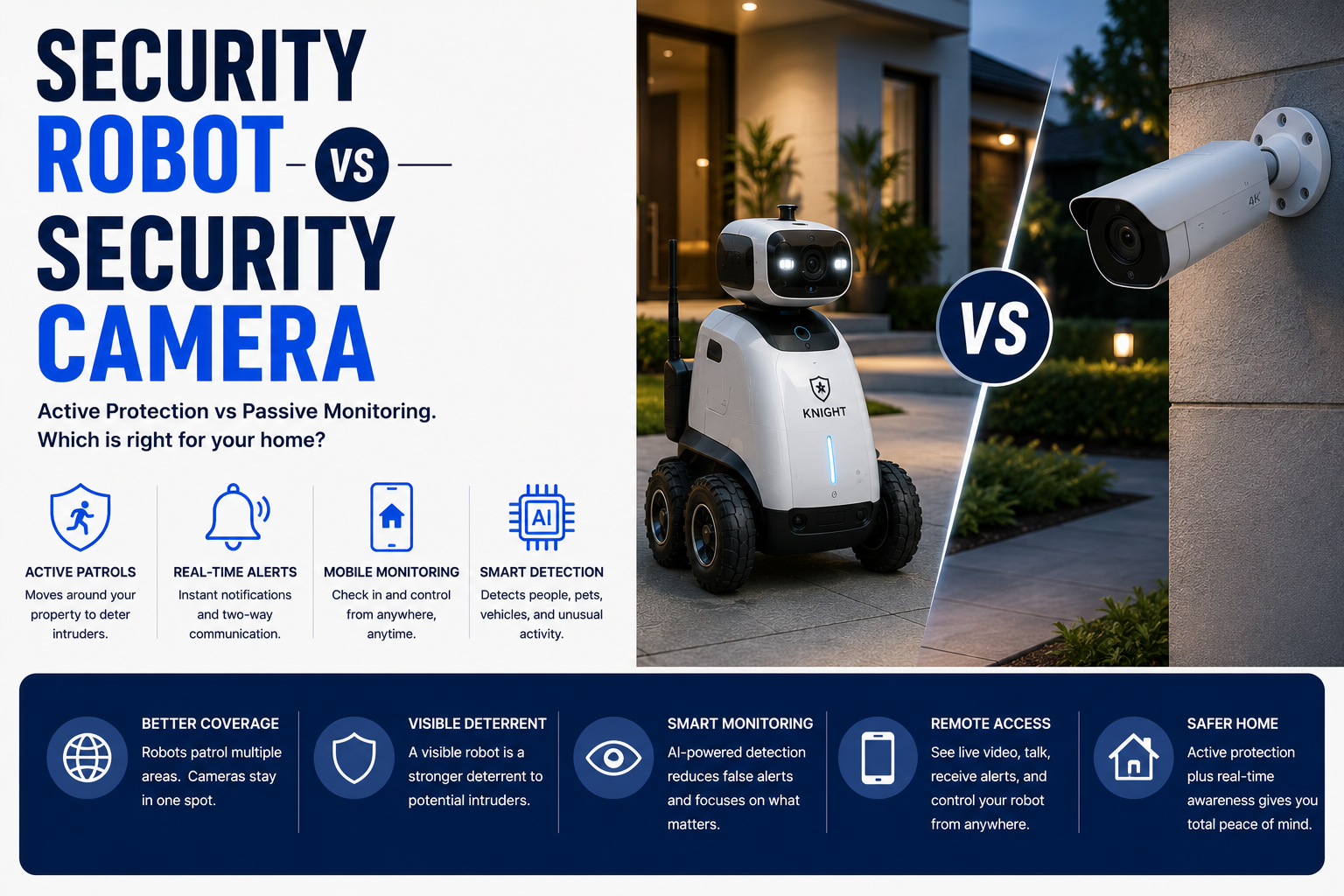
Security cameras are better for continuous coverage, lower cost, and reliable recording from fixed locations. Security robots are better for mobile visual checks, room-to-room patrols, and remote interaction. For most homes, fixed cameras and sensors should form the core system, with a robot added only when mobility provides a real benefit.
Security Robot vs Security Camera at a Glance
Watches one area continuously and records events.
Moves between rooms for remote visual checks.
Covers multiple zones at a lower total cost.
Combines mobility with fixed, always-on monitoring.
Security Robot vs Security Camera Comparison Table
| Type | Best For | Core Features | Important Limitation |
|---|---|---|---|
| Security Camera | Continuous monitoring | Always-on view, recording, alerts | Fixed field of view |
| Security Robot | Mobile checks | Remote driving, audio, room-to-room coverage | Cannot watch all areas at once |
| Video Doorbell | Entry monitoring | Visitor alerts, two-way audio | Limited to doorway |
| Sensor Network | Event detection | Door, motion, glass, leak, smoke alerts | No visual verification |
| Robot + Cameras | Layered security | Mobility plus continuous coverage | Higher complexity |
| Professional Monitoring | Emergency response | 24/7 monitoring and dispatch | Subscription cost |
What to Consider First
Start with the real need, home layout, privacy limits, connectivity, software support, and maintenance requirements. The strongest choice is the one that fits the actual routine reliably.
- Match the product to the real task.
- Check privacy, power, navigation, and integration needs.
- Review maintenance and replacement-part access.
- Keep a manual or human backup available.
Main Options to Consider
Always-on view, recording, alerts
Remote driving, audio, room-to-room coverage
Visitor alerts, two-way audio
Door, motion, glass, leak, smoke alerts
Coverage
Cameras provide dependable views of selected areas, while robots can inspect locations that do not justify a dedicated camera.
- Match the technology to a real need.
- Review privacy, maintenance, and support.
- Test navigation, alerts, and integrations.
- Keep a manual or human backup available.
Mobility
Robots move through rooms but remain limited by stairs, doors, thresholds, rugs, clutter, and charging.
- Match the technology to a real need.
- Review privacy, maintenance, and support.
- Test navigation, alerts, and integrations.
- Keep a manual or human backup available.
Recording and Evidence
Fixed cameras usually offer stronger continuous recording, event history, and integration with alarms.
- Match the technology to a real need.
- Review privacy, maintenance, and support.
- Test navigation, alerts, and integrations.
- Keep a manual or human backup available.
Deterrence
Visible cameras and outdoor lighting often deter more effectively than small indoor robots.
- Match the technology to a real need.
- Review privacy, maintenance, and support.
- Test navigation, alerts, and integrations.
- Keep a manual or human backup available.
Privacy
Both devices can collect sensitive audio and video, but mobile robots can enter more private spaces.
- Match the technology to a real need.
- Review privacy, maintenance, and support.
- Test navigation, alerts, and integrations.
- Keep a manual or human backup available.
Reliability
Fixed cameras have fewer moving parts and generally provide more predictable uptime.
- Match the technology to a real need.
- Review privacy, maintenance, and support.
- Test navigation, alerts, and integrations.
- Keep a manual or human backup available.
Cost
A camera network is usually less expensive than a capable security robot.
- Match the technology to a real need.
- Review privacy, maintenance, and support.
- Test navigation, alerts, and integrations.
- Keep a manual or human backup available.
Best Combined Use
Use cameras and sensors as the foundation, then add a robot for occasional mobile verification.
- Match the technology to a real need.
- Review privacy, maintenance, and support.
- Test navigation, alerts, and integrations.
- Keep a manual or human backup available.
Automation Still Requires Oversight
Connected robots reduce repetitive work or improve awareness, but they still require setup, supervision, maintenance, secure accounts, and backup plans.
How We Evaluated the Options
We prioritized practical usefulness, reliability, navigation, privacy, maintenance, replacement parts, warranty, software support, and total ownership value.
Final Verdict
Security cameras are better for continuous coverage, lower cost, and reliable recording from fixed locations. Security robots are better for mobile visual checks, room-to-room patrols, and remote interaction. For most homes, fixed cameras and sensors should form the core system, with a robot added only when mobility provides a real benefit.
Security Robot vs Security Camera FAQ
Is a security robot better than a security camera?
Not for continuous coverage; robots are better for mobile checks.
Can a robot replace multiple cameras?
Usually not, because it cannot watch several areas simultaneously.
Which is cheaper?
Security cameras are generally less expensive.
Which records better evidence?
Fixed cameras usually provide stronger continuous or event recording.
Can a robot patrol automatically?
Some models support scheduled patrols.
Which is better for pets?
A robot can move closer and provide two-way audio.
Which is more reliable?
Fixed cameras usually have fewer points of failure.
Do both require subscriptions?
Some cloud recording and AI features do.
Which is better for apartments?
A camera plus a small robot can work, but one may be enough depending on the layout.
What is the best overall setup?
Fixed cameras and sensors, with a robot added only when mobility is useful.