
Companion Robot Buying Guide
Buying a companion robot is different from buying a smart speaker, toy, tablet, or home assistant device. The best companion robot should match the person who will use it: a senior who needs reminders, a family that wants interaction, a child who needs safe controls, or someone who wants conversation, comfort, and daily engagement.
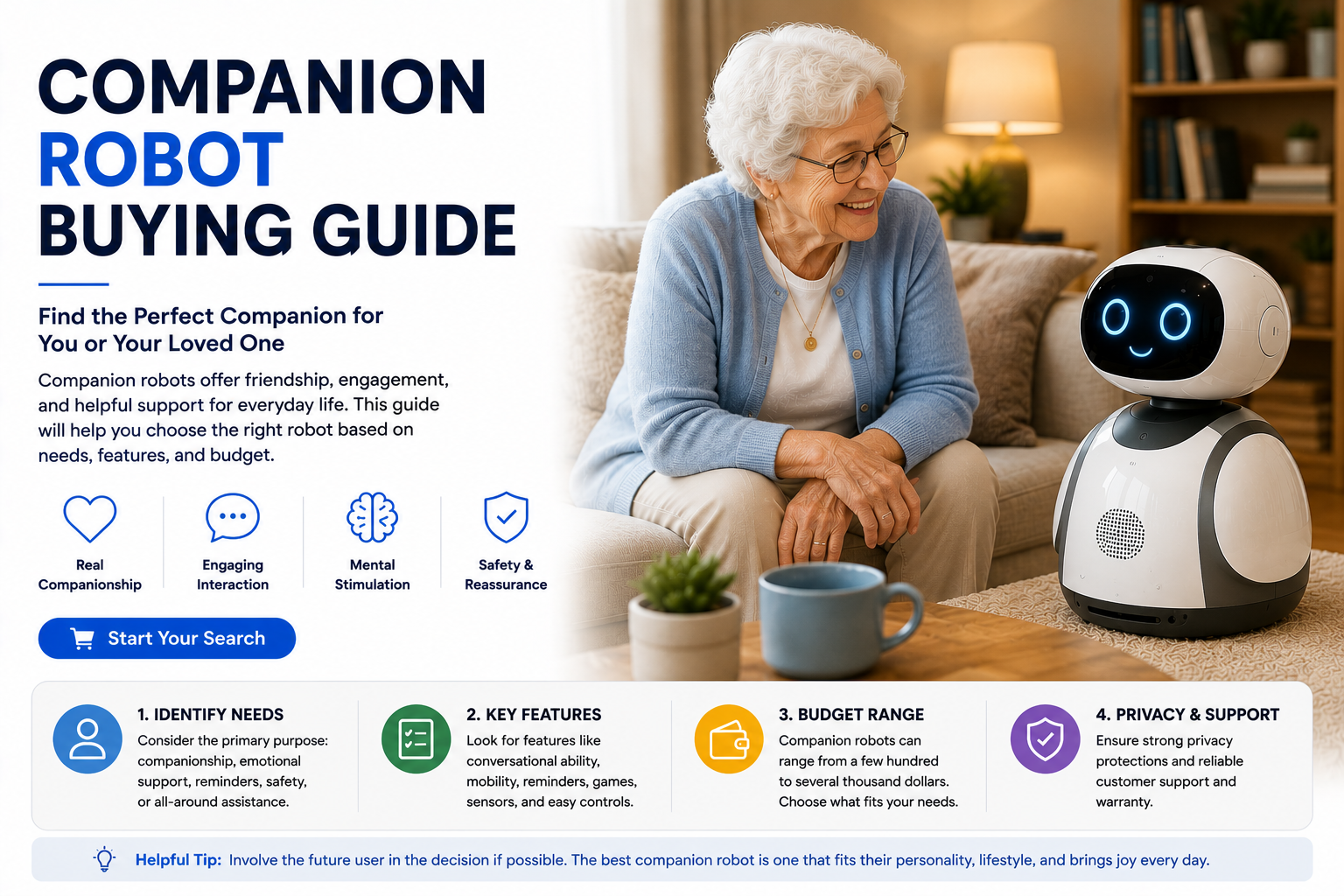
Choose a companion robot by starting with the user and the main purpose. Seniors usually need reminders, simple interaction, family check-ins, and easy controls. Families may want entertainment, routines, and smart home help. Kids need age-appropriate features, parental controls, and strong privacy settings. Do not buy only for novelty.
Companion Robot Buying Guide at a Glance
Companion Robot Buying Checklist
| Buying Factor | What to Check | Why It Matters |
|---|---|---|
| Main User | Senior, child, family, caregiver, adult, tech enthusiast | Different users need different levels of simplicity, safety, and interaction. |
| Main Purpose | Conversation, reminders, emotional support, entertainment, family calls | Prevents buying a robot that feels fun at first but useless later. |
| Ease of Use | Simple commands, clear audio, readable screen, easy app setup | The robot must be easy enough to use daily. |
| Privacy Controls | Camera shutoff, microphone mute, app permissions, data settings | Companion robots may include cameras, microphones, and cloud features. |
| Caregiver / Parent Controls | Remote setup, limits, contact permissions, reminder management | Important for seniors, kids, and shared family use. |
| Ongoing Costs | Subscriptions, AI features, cloud storage, accessories, replacement parts | Monthly fees can change the real value. |
What Is a Companion Robot?
A companion robot is a robot or smart device designed for interaction, conversation, emotional presence, reminders, entertainment, and daily engagement. Unlike a robot vacuum or robot mop, a companion robot is not mainly built to clean. Unlike a basic smart speaker, it usually aims to feel more personal.
Some companion robots are made for seniors. Others are made for kids, families, pet-like emotional support, AI conversation, or smart home interaction. The right choice depends on the user’s comfort level, privacy preferences, and daily needs.
- Can provide friendly conversation and interaction.
- May help with reminders and routines.
- Can support family check-ins or video calls depending on the model.
- May offer pet-like comfort or emotional presence.
- Can be useful for seniors, families, kids, and caregivers.
Start here: Best Companion Robots and Are Companion Robots Worth It?.
What to Prioritize Before Buying
Buy for reminders, interaction, emotional support, calls, or routines — not just novelty.
The main user should feel comfortable with the robot’s voice, look, app, and privacy settings.
Camera, microphone, app access, and data settings should be clear before buying.
The best companion robot is the one someone will actually use after the first week.
Step 1: Choose Who the Robot Is For
The first decision is the user. A companion robot for a senior should not be chosen the same way as a companion robot for a child, family, or tech enthusiast.
| User | Best Companion Robot Type | Features to Prioritize |
|---|---|---|
| Senior living alone | Senior-friendly companion robot | Reminders, family check-ins, clear audio, simple controls |
| Caregiver support | App-connected companion robot | Remote reminders, check-ins, caregiver permissions, privacy controls |
| Child | Kid-safe interactive robot | Parental controls, age ratings, privacy limits, durable design |
| Family | Family companion robot | Entertainment, routines, shared reminders, simple setup |
| Person living alone | Social or pet-style companion robot | Conversation, emotional presence, entertainment, routine prompts |
| Tech enthusiast | AI companion robot | AI conversation, personality, app features, smart home support |
Step 2: Decide the Main Purpose
Companion robots can do many things, but the best purchase starts with one main purpose. If the robot is supposed to help with reminders, choose a robot with strong reminder features. If the goal is emotional presence, a pet-style robot may be better than a screen-based assistant.
- Conversation and friendly interaction.
- Medication, appointment, meal, hydration, and routine reminders.
- Family check-ins or video calls.
- Entertainment, games, music, or learning.
- Pet-like comfort and emotional presence.
- Smart home control and household routines.
Important Features to Compare
| Feature | Why It Matters | Priority |
|---|---|---|
| Conversation quality | Determines whether the robot feels engaging or frustrating. | High |
| Reminders | Useful for seniors, families, routines, medication prompts, and appointments. | High |
| Ease of use | The robot should be simple enough for the main user. | High |
| Privacy controls | Cameras, microphones, and apps need clear settings. | High |
| Caregiver controls | Helpful for seniors living alone and family support. | High for seniors |
| Parental controls | Important if children will use the robot. | High for kids |
| Video calling | Useful for family connection and check-ins. | Medium to high |
| Subscriptions | Ongoing fees affect long-term value. | High |
Best Companion Robot for Seniors
For seniors, the best companion robot should be simple, friendly, and useful every day. Look for reminders, gentle conversation, clear speaker volume, easy family check-ins, privacy settings, and caregiver-friendly setup.
- Medication and appointment reminders.
- Friendly prompts and simple conversation.
- Easy family communication.
- Clear audio and readable visual prompts.
- Caregiver app support when available.
- Simple privacy controls for camera and microphone.
Full guide: Best Companion Robots for Seniors.
Best Companion Robot for Kids
For kids, safety and controls matter more than novelty. A child-friendly companion robot should have age-appropriate content, parental controls, limited app access, durable design, and clear privacy settings.
- Age rating and kid-safe content.
- Parental controls and usage limits.
- Privacy settings for microphones and cameras.
- Educational or creative features.
- Durable build for family homes.
- No confusing subscription traps.
Companion Robot vs Smart Speaker
A smart speaker is usually better for basic tasks like music, timers, weather, and simple voice commands. A companion robot is better when interaction, emotional presence, personality, visual expression, or senior companionship matters more.
| Need | Smart Speaker | Companion Robot |
|---|---|---|
| Music and timers | Excellent | Good |
| Basic voice commands | Excellent | Good |
| Conversation feel | Basic | Usually stronger |
| Emotional presence | Low | Medium to high |
| Senior companionship | Limited | Often better |
| Price | Usually lower | Usually higher |
Full comparison: Companion Robot vs Smart Speaker.
Companion Robot vs Home Assistant Robot
A companion robot focuses on interaction, conversation, social presence, emotional support, and engagement. A home assistant robot focuses more on practical help like reminders, video calls, room checks, smart home control, and routines.
Choose a companion robot for social interaction and emotional presence.
Choose a home assistant robot for practical home help, monitoring, and smart home routines.
Privacy and Security Checklist
Check whether the robot has a camera and whether it can be disabled or covered.
Look for mute controls and clear voice data settings.
Review who can control the robot, view settings, manage reminders, or access calls.
Check whether conversations, preferences, video, or audio are stored in the cloud.
Questions to Ask Before Buying
- Who will use the companion robot most?
- Does that person actually want a robot?
- What daily problem should the robot solve?
- Can a smart speaker or smart display solve the same problem for less?
- Does the robot have a camera or microphone?
- Can privacy settings be controlled easily?
- Does it require subscriptions?
- Is it simple enough for the main user?
- Can family members or caregivers help manage it?
- What happens if the app or service stops being supported?
Hidden Costs to Watch For
The purchase price is only part of the cost. Some companion robots require subscriptions for AI conversation, premium content, cloud features, caregiver access, video calling, app tools, or advanced reminders.
- Monthly subscription fees.
- Premium AI conversation features.
- Cloud storage or camera features.
- Caregiver or parent control tools.
- Replacement batteries or charging docks.
- Accessories and replacement parts.
- Warranty extensions.
Buying Decision Table
| Your Situation | Best Choice | Why |
|---|---|---|
| You only need music and timers | Smart speaker | Cheaper and simpler. |
| You want senior companionship | Senior companion robot | Better for reminders, prompts, and friendly interaction. |
| You want pet-like comfort | Pet-style companion robot | Good for gentle emotional presence. |
| You want video calls and reminders | Smart display or screen-based robot | A screen makes communication and prompts easier. |
| You want practical home help | Home assistant robot | Better for smart home control, routines, and room checks. |
| You are unsure | Start with smart display | Lower-cost way to test calls, reminders, and interaction. |
Common Mistakes When Buying a Companion Robot
- Buying because the robot looks cute or futuristic.
- Ignoring whether the main user wants it.
- Choosing advanced AI over ease of use.
- Buying for a senior without checking hearing, vision, and comfort level.
- Buying for a child without checking parental controls.
- Forgetting to check subscriptions and app requirements.
- Ignoring camera and microphone privacy controls.
- Expecting the robot to replace human companionship or professional care.
Final Verdict: How Should You Choose a Companion Robot?
The best companion robot is the one that fits the user, solves a real daily need, and feels simple enough to use consistently. Seniors need clear reminders, easy interaction, family check-ins, and caregiver support. Kids need safe settings and parental controls. Families need routines, entertainment, and privacy.
Do not buy a companion robot only because it looks impressive. Buy it because it will provide daily value through conversation, reminders, emotional presence, entertainment, or connection.
Shop Companion RobotsRelated Companion Robot Guides
Companion Robot Buying Guide FAQ
What should I look for in a companion robot?
Look for ease of use, conversation quality, reminders, privacy controls, app support, caregiver or parental controls, and features that match the main user.
Are companion robots worth buying?
They are worth buying if they provide real daily value through reminders, conversation, emotional presence, entertainment, or family check-ins.
What is the best companion robot for seniors?
The best companion robot for seniors is simple, friendly, easy to hear, and useful for reminders, family check-ins, conversation, and daily prompts.
Should I buy a companion robot or smart speaker?
Buy a smart speaker for basic voice commands and lower cost. Buy a companion robot if you want interaction, personality, emotional presence, or senior companionship.
Do companion robots require subscriptions?
Some companion robots require subscriptions for AI conversation, cloud features, premium content, caregiver tools, app access, or video features.
Are companion robots private?
Privacy depends on the device. Check camera shutoff, microphone mute controls, app permissions, account security, and data settings before buying.
Are companion robots safe for kids?
Some can be safe for kids, but parents should check age ratings, parental controls, privacy settings, camera access, app permissions, and subscription requirements.
Can companion robots replace human companionship?
No. Companion robots can support interaction and routines, but they should not replace human contact, family connection, caregivers, or professional care.
What is the biggest buying mistake?
The biggest mistake is buying a companion robot for novelty instead of choosing one that solves a real daily need for the main user.
Should I start with a smart display first?
If you are unsure, a smart display can be a lower-cost way to test reminders, calls, and basic interaction before buying a full companion robot.
We may earn a commission from qualifying purchases at no extra cost to you.