
Best Home Assistant Robots for Seniors
Home assistant robots for seniors can help with reminders, video calls, daily routines, smart home control, caregiver check-ins, and simple home monitoring. The best option is not always the most advanced robot. For older adults, ease of use, clear communication, reliability, privacy, and caregiver-friendly features matter most.
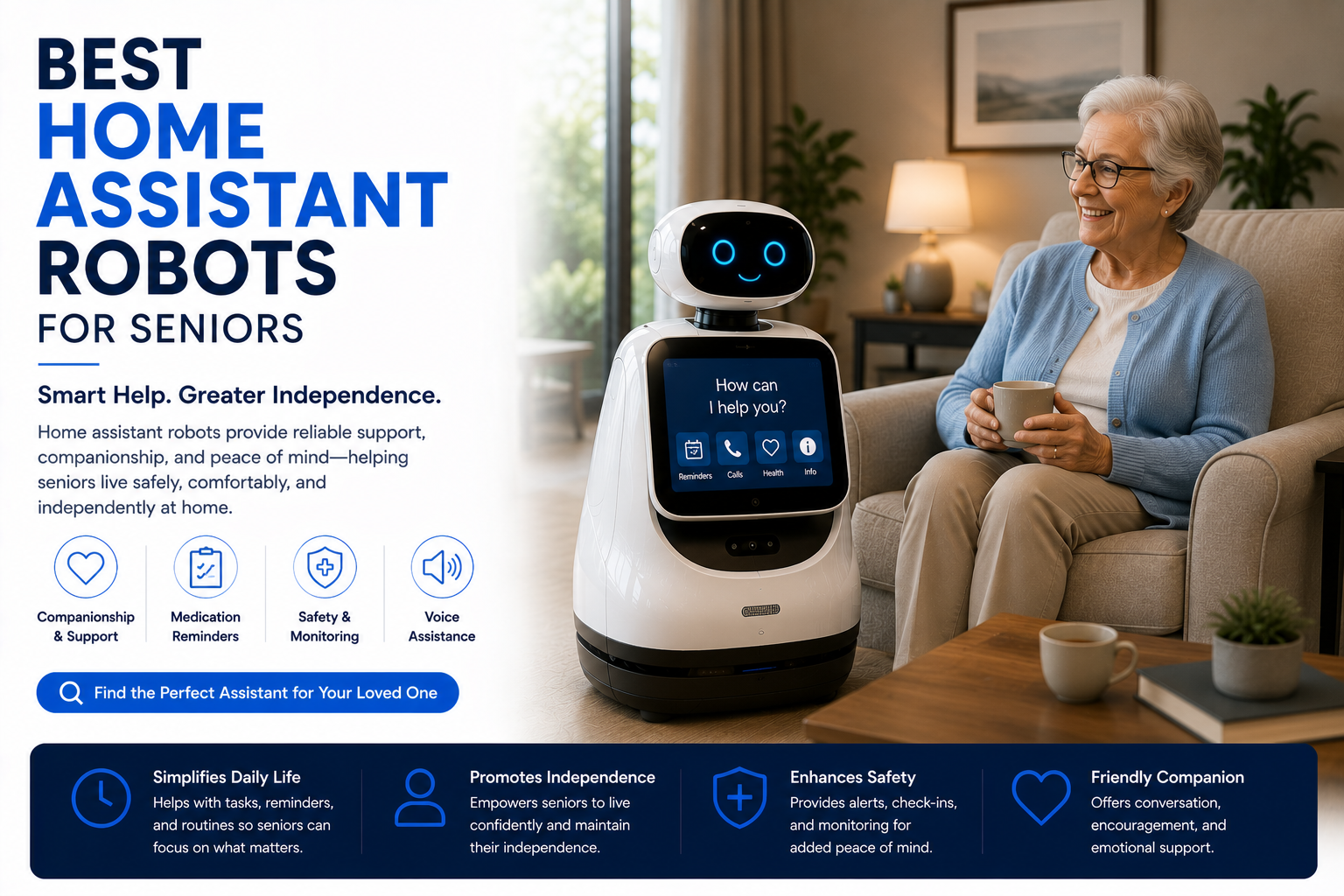
The best home assistant robot for seniors should be simple to use, easy to hear, easy to see, and useful every day. Prioritize reminders, video calling, caregiver access, routine support, emergency-contact convenience, smart home control, and privacy settings before choosing advanced AI features or futuristic design.
Best Home Assistant Robots for Seniors at a Glance
Best Home Assistant Robots for Seniors Comparison Table
| Robot Type | Best For | Key Senior Features | Best Buyer |
|---|---|---|---|
| Senior Assistant Robot | Daily support | Reminders, video calls, routines, caregiver app access | Seniors living alone or semi-independently |
| Mobile Home Assistant Robot | Room checks and family communication | Camera, movement, calls, app control, smart home support | Families and caregivers |
| Smart Display Robot | Simple communication | Large screen, video calls, voice commands, reminders | Budget buyers and less tech-savvy users |
| Companion Robot | Social support | Conversation, entertainment, routine prompts, emotional engagement | Seniors who want companionship |
| Security Assistant Robot | Home monitoring | Camera checks, alerts, app viewing, motion awareness | Caregivers and frequent family check-ins |
What Makes a Home Assistant Robot Good for Seniors?
A good senior home assistant robot should reduce friction, not add complexity. Older adults may benefit from reminders, simple calls, clear voice interaction, a visible screen, and a device that family members or caregivers can help manage remotely.
The best robots for seniors are usually not judged by the biggest feature list. They are judged by whether the senior can actually use the robot every day without confusion, frustration, or constant troubleshooting.
- Simple voice commands and clear responses.
- Easy video calls with family or caregivers.
- Medication, appointment, and daily routine reminders.
- Large screen or clear visual prompts when possible.
- Caregiver-friendly app access and setup support.
- Strong privacy controls for cameras and microphones.
For broader options, visit the Best Home Assistant Robots guide and the Home Assistant Robots Hub.
Most Important Senior Features
Helpful for medication, appointments, meals, hydration, exercise, and daily routines.
Makes family communication easier than relying only on a phone or tablet.
Lets trusted family members help manage settings, reminders, and check-ins.
Large visuals, clear audio, simple commands, and fewer steps matter more than flashy AI.
Best Overall Home Assistant Robot for Seniors
The best overall home assistant robot for seniors should combine reminders, easy calling, a simple screen, clear audio, app support, and privacy controls. It should help with daily life without requiring the senior to learn complicated menus or manage constant updates.
For many households, a screen-based home assistant robot or smart display-style robot is the safest starting point because it provides visible reminders and easy communication without overwhelming the user.
- Simple reminders and routine prompts.
- Easy video calling with family.
- Clear speaker and readable screen.
- Caregiver setup or remote support.
- Reliable Wi-Fi and app connection.
- Privacy controls for camera and microphone.
Best Home Assistant Robot for Seniors Living Alone
Seniors living alone may benefit from a home assistant robot that supports check-ins, reminders, video calls, and home monitoring. The robot should make it easier for family members to stay connected without feeling intrusive.
The key is balance. A good robot can help seniors feel supported while still respecting privacy, independence, and comfort.
- Daily check-in reminders.
- Easy family video calls.
- Medication and appointment alerts.
- Optional room monitoring or camera access.
- Simple voice commands for help.
- Smart home control for lights, thermostat, and plugs.
Best Home Assistant Robot for Caregivers
Caregivers should look for robots that make remote support easier. The best caregiver-friendly robot allows trusted family members to help manage reminders, check that routines are being followed, and communicate through video or voice.
A robot is not a replacement for professional care, but it can reduce small daily gaps: missed reminders, difficult calls, forgotten routines, or uncertainty about whether someone is okay.
- Remote reminder setup.
- Family or caregiver app access.
- Video calling and check-ins.
- Simple notifications or alerts.
- Easy setup and low maintenance.
- Privacy settings the senior understands.
Best Senior Robot by Use Case
| Senior Need | Best Robot Type | Why |
|---|---|---|
| Medication reminders | Senior assistant robot | Can prompt daily routines and repeat reminders clearly. |
| Family communication | Screen-based assistant robot | Video calls are easier with a clear screen and simple interface. |
| Living alone | Mobile or camera-enabled assistant robot | Helps with check-ins, alerts, and simple room monitoring. |
| Companionship | Companion robot | Designed for conversation, entertainment, and social engagement. |
| Smart home help | Voice assistant robot | Can control lights, plugs, thermostats, and routines hands-free. |
| Budget setup | Smart display | Offers calls and reminders without the higher robot cost. |
Home Assistant Robot vs Smart Speaker for Seniors
A smart speaker can help seniors with voice reminders, timers, music, weather, and simple smart home commands. But a home assistant robot usually offers more support through a screen, video calls, camera features, visual reminders, and more interactive help.
| Feature | Smart Speaker | Home Assistant Robot |
|---|---|---|
| Voice reminders | Good | Good to excellent |
| Video calls | No or limited | Often yes |
| Screen prompts | No | Often yes |
| Caregiver check-ins | Limited | Usually better |
| Room monitoring | Limited | Often stronger |
| Cost | Usually cheaper | Usually higher |
Full comparison: Home Assistant Robot vs Smart Speaker.
Can Home Assistant Robots Help With Medication Reminders?
Yes, many home assistant robots can help with medication reminders, but they should not be treated as a medical device unless the product is specifically designed and approved for that purpose. For most households, the robot is best used as a helpful reminder system.
- Daily medication reminder prompts.
- Appointment and refill reminders.
- Meal and hydration routine prompts.
- Family-managed reminder setup when supported.
- Helpful backup, not a replacement for medical care.
Are Home Assistant Robots Safe for Seniors?
Home assistant robots can be useful for seniors, but safety depends on setup, placement, privacy, and expectations. A robot should not create tripping hazards, block walkways, confuse the user, or replace emergency systems when those are needed.
- Place charging docks away from walkways.
- Keep cords organized and out of walking paths.
- Use simple settings and avoid unnecessary features.
- Explain camera and microphone controls clearly.
- Do not rely on a robot as the only emergency plan.
- Use dedicated medical alert systems when needed.
Features to Compare Before Buying
| Feature | Why It Matters for Seniors | Priority Level |
|---|---|---|
| Large screen | Makes calls, prompts, and reminders easier to see. | High |
| Clear speaker | Important for hearing reminders and calls. | High |
| Simple voice commands | Reduces the need to use menus or apps. | High |
| Caregiver app access | Helps family manage reminders and check-ins. | High |
| Mobility | Useful for room checks but not necessary for everyone. | Medium |
| AI conversation | Can help companionship but should not replace human contact. | Medium |
| Camera controls | Important for privacy and trust. | High |
| Smart home compatibility | Useful for lights, thermostats, plugs, and routines. | Medium |
Who Should Buy a Senior Home Assistant Robot?
A home assistant robot can make sense for seniors who live alone, forget routines, want easier family communication, or need simple smart home help. It can also help caregivers who want a more organized way to support a loved one from a distance.
- Seniors living alone who want easier check-ins.
- Older adults who forget appointments or routines.
- Families who want simple video calling.
- Caregivers who need remote reminder support.
- Seniors who struggle with phones or tablets.
- Smart homes where voice control can reduce daily effort.
Who Should Avoid a Home Assistant Robot?
A home assistant robot is not the right choice for every senior. Some older adults may prefer a simple smart speaker, smart display, medical alert system, or traditional phone. If the robot feels confusing, intrusive, or unnecessary, it may not be worth the cost.
- Seniors who dislike cameras or connected devices.
- Homes with poor Wi-Fi.
- Users who only need basic reminders and music.
- People who need a dedicated medical alert system instead.
- Buyers who do not want app setup or subscriptions.
Common Mistakes When Buying Robots for Seniors
- Buying the most advanced robot instead of the easiest one to use.
- Ignoring whether the senior actually wants a camera in the home.
- Choosing a robot without caregiver-friendly setup features.
- Assuming AI conversation can replace real human contact.
- Buying a robot when a smart display would be enough.
- Forgetting to check Wi-Fi strength in the senior’s home.
- Ignoring subscription fees or required apps.
- Expecting a home assistant robot to replace medical alert systems.
Senior Home Assistant Robot Pros and Cons
Useful for reminders, family calls, routines, check-ins, and smart home control.
Can make remote support easier when family members live far away.
Can be expensive, confusing, or intrusive if privacy and setup are not handled well.
Choose the robot the senior will actually use, not the one with the longest feature list.
Final Verdict: What Is the Best Home Assistant Robot for Seniors?
The best home assistant robot for seniors is simple, reliable, easy to hear, easy to see, and helpful every day. Look for reminders, video calling, caregiver support, smart home control, privacy settings, and low-friction setup before focusing on advanced AI features.
For seniors living alone, a robot with reminders, check-ins, and easy family communication can be genuinely useful. For seniors who only need simple voice commands, a smart speaker or smart display may be the better value.
Shop Home Assistant RobotsRelated Senior Robot Guides
Best Home Assistant Robots for Seniors FAQ
What is the best home assistant robot for seniors?
The best home assistant robot for seniors is one that is simple to use and supports reminders, video calls, caregiver check-ins, smart home control, and clear privacy settings.
Are home assistant robots good for seniors living alone?
Yes. They can help seniors living alone with reminders, communication, routines, and family check-ins, but they should not replace emergency care or medical alert systems when those are needed.
Can home assistant robots remind seniors to take medicine?
Many robots and smart assistant devices can provide medication reminders, but they should be used as helpful prompts, not as a replacement for professional medical care.
Can caregivers use home assistant robots remotely?
Some home assistant robots offer caregiver app access, remote reminder setup, video calls, and check-in features. Always compare the exact app features before buying.
Are home assistant robots better than smart speakers for seniors?
Home assistant robots are better when seniors need video calls, a screen, check-ins, and visual reminders. Smart speakers are better for simple voice commands and lower cost.
Do seniors need a robot with a camera?
Not always. A camera can help with video calls and check-ins, but some seniors may prefer camera-free devices for privacy.
Are home assistant robots private?
Privacy depends on the device. Look for camera shutoff, microphone mute controls, app permissions, account security, and clear privacy settings.
Can a home assistant robot replace a medical alert system?
No. A home assistant robot should not replace a dedicated medical alert system if the senior needs emergency response support.
What features matter most for seniors?
The most important features are ease of use, clear audio, readable screen, reminders, video calls, caregiver support, privacy controls, and reliable Wi-Fi.
Should I buy a smart display instead of a robot?
A smart display may be better if the senior only needs video calls, reminders, and basic voice control. A robot makes more sense if mobility, room checks, or more interactive support are needed.
We may earn a commission from qualifying purchases at no extra cost to you.