
Home Security Robot Buying Guide: How to Choose the Right Security Robot
Choosing the right home security robot depends on your home layout, indoor or outdoor needs, camera quality, AI detection, mobile patrol features, night vision, app alerts, privacy preferences, Wi-Fi coverage, smart home compatibility, storage options, and whether you need a robot for security, monitoring, pets, elderly check-ins, garage monitoring, or general smart home protection.
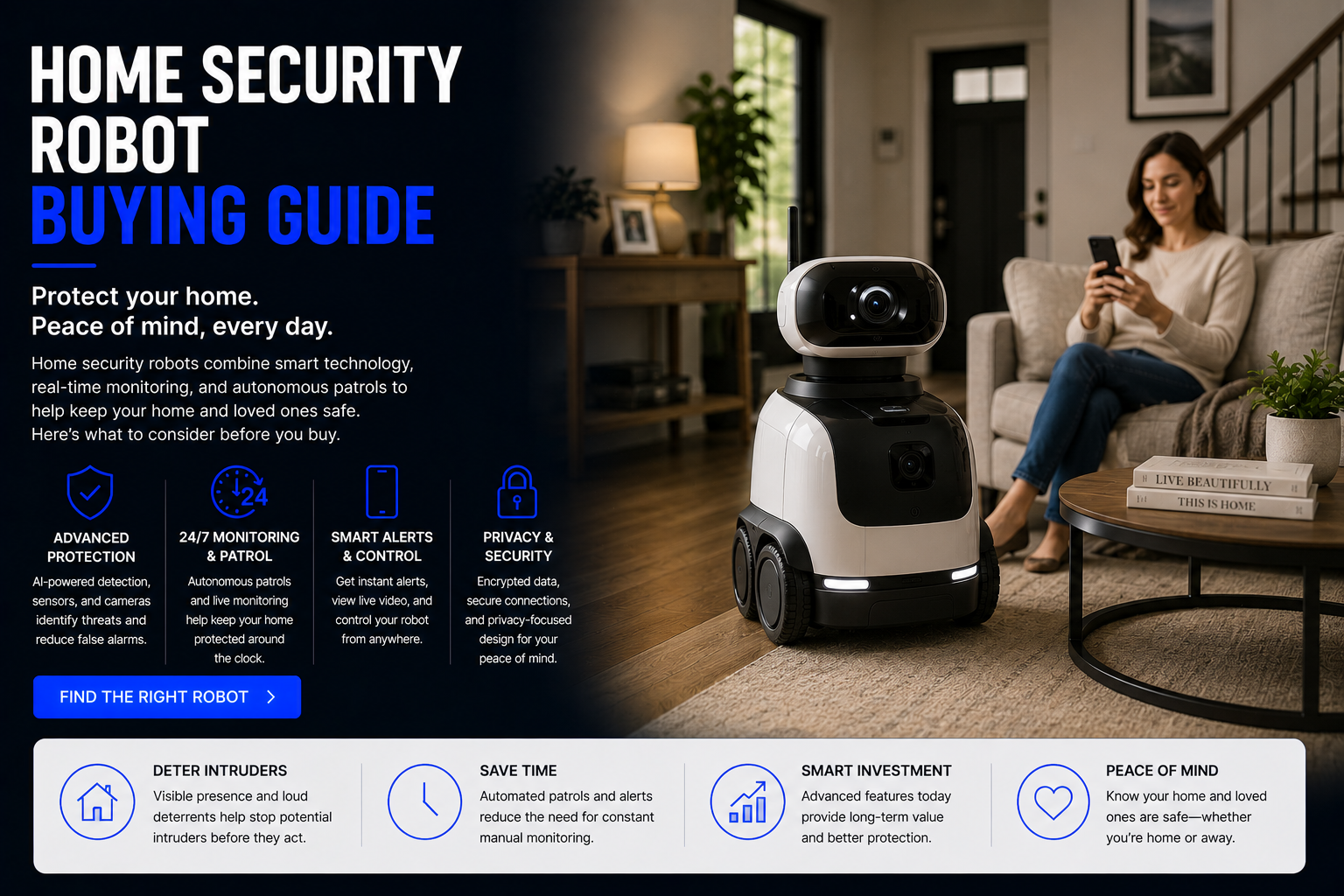
How Do You Choose the Right Home Security Robot?
To choose the right home security robot, start with the main security problem you want to solve. Some homes need indoor monitoring. Others need outdoor patrol, garage checking, pet monitoring, elderly caregiver check-ins, AI motion alerts, two-way audio, or a mobile camera that can move from room to room.
The best home security robot is not always the most expensive robot. A small apartment may only need an indoor AI security robot or smart camera. A large home may need a mobile patrol robot, multiple fixed cameras, door sensors, motion alerts, and smart lights. A caregiver may prioritize communication and privacy. A frequent traveler may prioritize remote control, live video, and reliable alerts.
Home security robots work best as part of a larger security system. They can support monitoring, awareness, alerts, communication, and smart home routines, but they do not replace locks, alarms, emergency services, responsible home safety habits, or a complete security plan.
Important: Home security robots can improve monitoring and awareness, but they should not be treated as a full replacement for locks, alarms, emergency response, outdoor lighting, or common-sense home security.
Quick answer: choose based on indoor or outdoor use, camera quality, AI alerts, night vision, mobile patrol, battery life, app control, privacy mode, storage costs, Wi-Fi coverage, and whether a robot is actually better than a fixed security camera for your home.
Home Security Robot Buying Guide
Decide If You Need a Robot or a Camera
A fixed security camera is usually better if you only need to watch one area such as a front door, driveway, hallway, nursery, garage, or back patio. A security robot is better when you want mobile monitoring, room-to-room checks, remote driving, patrol routes, or flexible visibility around the home.
Do not buy a robot just because it sounds more advanced. Buy a robot when movement solves a real problem that a fixed camera cannot.
Choose Indoor or Outdoor Security
Indoor security robots are designed for smooth floors, hallways, living rooms, apartments, entryways, offices, and pet areas. Outdoor security robots need weather resistance, durable movement, stronger construction, night vision, and reliable battery performance.
Never assume an indoor robot can safely work outdoors. Outdoor use requires a model specifically designed for weather, terrain, temperature, moisture, and outdoor security conditions.
Compare Camera Quality
Camera quality is one of the most important features. Look for clear video, good low-light performance, wide viewing angle, smooth live streaming, useful zoom, and video quality that lets you understand what is happening.
A mobile robot with poor video quality may be less useful than a simple fixed camera with clear footage.
Check AI Detection Features
AI detection can help identify people, pets, motion, objects, packages, unusual activity, or movement patterns. Better AI alerts reduce false notifications and help you focus on events that actually matter.
However, AI detection is not perfect. False alerts and missed events can still happen, so a home security robot should support your security plan, not be the only layer of protection.
Look at Mobile Patrol Features
A true home security robot should offer useful movement. That may include remote driving, automatic patrol routes, mapping, room-to-room movement, obstacle avoidance, automatic docking, and scheduled patrols.
If the robot mostly sits in one place, compare it against a regular smart camera before paying more.
Prioritize Night Vision
Security problems often happen in low-light conditions. Night vision is important for dark hallways, garages, living rooms, patios, entryways, and outdoor spaces.
Compare low-light clarity, infrared performance, spotlight features, and how usable the video looks at night.
Check Battery Life and Docking
A security robot needs enough battery life to patrol, stream video, send alerts, and return to its dock. Automatic docking is important because a dead robot cannot monitor anything.
For larger homes, battery life, charging time, and docking reliability matter more than they do in a small apartment.
Review App Alerts and Remote Control
The app is where you will receive alerts, watch video, control the robot, review clips, change settings, and manage privacy. A confusing or unreliable app can make a good robot frustrating.
Look for clear notifications, live view, simple controls, event history, privacy settings, storage settings, and reliable connection.
Understand Storage and Subscription Costs
Some home security robots use cloud storage, local storage, or both. Cloud recording may require a monthly fee. AI detection, saved clips, emergency features, or advanced alerts may also require subscriptions.
Compare the total long-term cost, not just the purchase price.
Check Privacy Controls
Security robots may include cameras, microphones, speakers, cloud accounts, video history, face detection, and remote access. Privacy controls are extremely important inside a home.
Look for privacy mode, camera shutter, microphone controls, user permissions, secure login, two-factor authentication, and clear data settings.
Home Security Robot Types Compared
| Security Robot Type | Best For | Main Benefit | Possible Limitation |
|---|---|---|---|
| Indoor Security Robot | Rooms, hallways, apartments, pets, elderly check-ins | Mobile visibility inside the home | Not designed for outdoor weather |
| Outdoor Security Robot | Yards, patios, driveways, garages, perimeter areas | Can patrol outdoor spaces | Higher cost and tougher setup |
| AI Security Robot | Smart alerts and event detection | Can detect people, pets, or motion more intelligently | AI alerts are not perfect |
| Home Monitoring Robot | Caregiver check-ins, pets, travel, general monitoring | Flexible remote viewing | Privacy comfort matters |
| Telepresence Security Robot | Remote communication and live check-ins | Allows two-way interaction and movement | May not be security-first |
| Smart Camera Alternative | Fixed doors, driveways, rooms, entryways | Lower cost and simple setup | No mobile patrol ability |
Most Important Features to Compare
Camera Quality
Clear video matters more than flashy design. Good footage helps you actually understand what is happening.
AI Alerts
Person, pet, motion, package, and unusual activity detection can reduce useless notifications.
Mobile Patrol
Remote driving and patrol routes are the main reasons to choose a robot over a fixed camera.
Night Vision
Low-light performance is essential for real security monitoring at night.
Privacy Mode
Indoor robots need strong privacy controls, especially if they include cameras and microphones.
Battery and Docking
A robot should stay charged, return to dock, and be ready when you need it.
Best Security Robot by Use Case
For Indoor Home Security
Choose an indoor security robot with clear video, quiet movement, night vision, obstacle avoidance, two-way audio, app alerts, and privacy controls.
For Outdoor Home Security
Choose an outdoor-rated robot with weather resistance, durable wheels or tracks, strong night vision, long battery life, and reliable app notifications.
For Apartments
A compact indoor security robot or smart camera may be enough. Prioritize quiet movement, simple setup, privacy, and no unnecessary outdoor features.
For Large Homes
A mobile security robot can be useful if it supports mapping, patrol routes, room-to-room movement, strong Wi-Fi, auto docking, and good battery life.
For Pet Monitoring
Look for quiet operation, pet detection, two-way audio, remote driving, and a camera angle that works well at pet height.
For Elderly Care Check-Ins
Prioritize privacy, consent, clear two-way audio, stable video, easy caregiver access, and respectful use. A monitoring robot should support independence, not feel invasive.
For Frequent Travelers
Choose a robot with reliable remote access, strong alerts, automatic docking, event history, and the ability to check multiple rooms while away.
Home Security Robot vs Security Camera
A security camera is usually better for fixed coverage. If you want to watch a front door, driveway, garage, nursery, backyard gate, or hallway, a fixed camera may be cheaper, simpler, and more reliable.
A home security robot is better when you want mobility. It can check different rooms, move around pets, patrol certain areas, provide live remote driving, and offer more flexible home monitoring than one fixed camera angle.
For many homes, the best setup is both: fixed cameras for entry points and a security robot for flexible indoor or mobile monitoring.
Indoor vs Outdoor Security Robots
Indoor security robots are generally easier to use. They move on smooth floors, stay near Wi-Fi, return to docks more reliably, and avoid weather problems. They are good for apartments, hallways, living rooms, pets, elderly check-ins, and travel monitoring.
Outdoor security robots are more demanding. They need weather resistance, stronger navigation, durable movement, better battery life, low-light visibility, and more rugged construction. Outdoor robots are better for yards, patios, driveways, garages, gates, and perimeter awareness.
Do not use an indoor robot outdoors unless the manufacturer clearly says it is designed for that environment.
Privacy and Security Checklist
- Use strong passwords: Protect the app account with secure login credentials.
- Enable two-factor authentication: Add extra account protection when available.
- Review camera settings: Know when the camera records, streams, or saves video.
- Check microphone settings: Understand audio recording and two-way talk controls.
- Use privacy mode: Choose camera shutters or privacy settings when available.
- Limit user access: Only trusted people should control the robot or view footage.
- Review cloud storage: Understand where recordings are stored and for how long.
- Update firmware: Keep the robot updated for security and performance improvements.
- Respect household privacy: Tell family members how the robot is used.
- Check subscription terms: Know what features require ongoing payments.
Common Home Security Robot Buying Mistakes
- Buying a robot when a fixed camera is enough: Mobility only matters if you need it.
- Ignoring Wi-Fi coverage: A robot needs strong connection where it will patrol.
- Choosing indoor models for outdoor spaces: Outdoor security needs weather-rated hardware.
- Forgetting subscription costs: Cloud storage and AI alerts may require monthly fees.
- Ignoring privacy: Cameras and microphones inside the home need careful controls.
- Expecting perfect AI detection: AI alerts can still miss events or send false alarms.
- Ignoring battery life: Short battery life limits patrol usefulness.
- Skipping app reviews: The app experience matters as much as the robot hardware.
- Overlooking obstacle avoidance: Cluttered homes can trap mobile robots.
- Thinking robots replace security systems: They support security but do not replace locks, alarms, or emergency planning.
Are Home Security Robots Worth It?
Home security robots can be worth it if you want mobile monitoring, remote room checks, pet check-ins, elderly caregiver support, patrol routes, or a flexible camera that can move through the home.
They may not be worth it if your security need is simple. A doorbell camera, indoor camera, motion sensor, smart lock, or alarm system may solve many common security problems for less money.
The best value comes from matching the tool to the job. Use fixed cameras for fixed areas, smart sensors for alerts, and a home security robot when mobile visibility adds real value.
Future of Home Security Robots
Home security robots are likely to improve as AI detection, navigation, battery life, smart home compatibility, computer vision, voice control, and home mapping become better. Future robots may patrol more intelligently, recognize unusual events more accurately, and coordinate with cameras, locks, lights, alarms, and sensors.
AI security robots may also overlap with home monitoring robots, elderly care robots, companion robots, telepresence robots, personal assistant robots, smart garage robots, and AI home robots.
The future of home security may be a connected system where fixed cameras, smart sensors, mobile robots, AI alerts, home assistants, and emergency routines work together.
Related Home Security Robot Guides
Related Home Robot Guides
Home Security Robot Buying Guide FAQ
What is a home security robot?
A home security robot is a robot or mobile smart device that uses cameras, sensors, alerts, AI detection, and sometimes movement to help monitor a home.
How do I choose a home security robot?
Start by deciding whether you need indoor monitoring, outdoor patrol, AI alerts, mobile movement, pet checks, elderly check-ins, or fixed camera coverage.
Are home security robots worth it?
They can be worth it if mobile monitoring solves a real problem. If you only need one fixed view, a smart camera may be better.
Are security robots better than security cameras?
Security robots are better for mobile monitoring. Security cameras are better for fixed areas like doors, driveways, and hallways.
Can home security robots patrol a house?
Some can patrol or move remotely through the home, depending on mapping, navigation, and battery features.
Can home security robots be used outdoors?
Only outdoor-rated models should be used outside. Indoor robots are not built for weather or outdoor terrain.
Do home security robots need Wi-Fi?
Most need Wi-Fi for app control, alerts, live video, cloud storage, and remote access.
Do security robots record video?
Some record locally, some use cloud storage, and some require subscriptions for saved clips.
Do home security robots have monthly fees?
Some have monthly fees for cloud storage, AI alerts, emergency features, or advanced app tools.
Are home security robots private?
Privacy depends on camera settings, microphone controls, app permissions, account security, and storage choices.
Can security robots detect people?
Many AI security robots include person detection, but accuracy varies by model.
Can security robots detect pets?
Some can detect pets or separate pet motion from people, but performance varies.
Are home security robots good for pets?
Yes, they can help check on pets, feeding areas, doors, and movement while you are away.
Are home security robots good for elderly monitoring?
They can support caregiver check-ins, but privacy, consent, and ease of use are important.
What features matter most?
Camera quality, AI alerts, night vision, mobile patrol, battery life, app control, privacy mode, storage, and Wi-Fi reliability matter most.
Should I buy indoor or outdoor security robots?
Buy indoor for rooms and hallways. Buy outdoor only if the robot is weather-rated and designed for patios, yards, garages, or driveways.
Can a security robot replace an alarm system?
No. It can support monitoring but does not replace locks, alarms, emergency services, or security planning.
What is the biggest buying mistake?
Buying a robot when a fixed camera would solve the problem, or buying a device without checking Wi-Fi, privacy, battery, and subscription requirements.
Can security robots work with smart homes?
Some can connect with smart lights, alarms, assistants, routines, cameras, or sensors depending on compatibility.
What should I buy first?
Start with a smart camera if you need fixed monitoring. Choose a robot if you need mobile room-to-room visibility.
Shop Home Security Robots
The right home security robot should match your actual security needs. Compare indoor security robots, outdoor security robots, AI security robots, home monitoring robots, smart cameras, mobile patrol robots, pet monitoring robots, caregiver check-in devices, and smart home security tools before choosing the best option for your home.
Shop Home Security Robots