
Best Telepresence Robots for Families
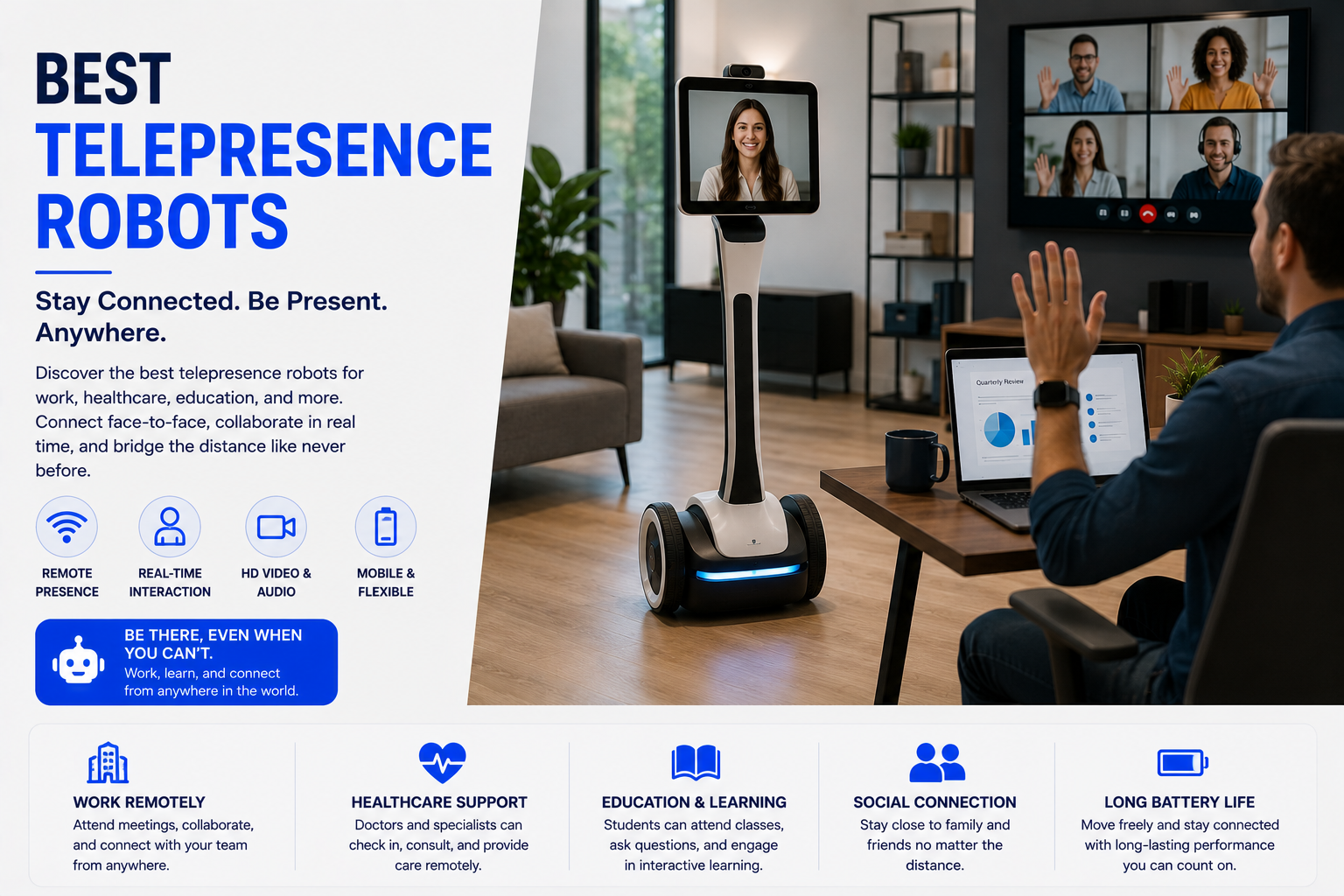
Discover the best telepresence robots for families with remote video connection, mobility, communication tools, smart features, and staying connected from anywhere. The best telepresence robot should make remote communication feel more natural while remaining easy to control, secure, and reliable in the actual space.
As an Amazon Associate, HomeBotGuide may earn from qualifying purchases at no extra cost to you.
For most families, a simple self-docking mobile video robot is the best fit because relatives can move between rooms instead of depending on a stationary tablet. Temi-style autonomous robots are stronger for hands-free calling and smart-home integration, while Ohmni-style systems are better when remote family visits and senior-friendly communication are the main goal.
Best Telepresence Robots for Families at a Glance
Best All-Around Family RobotTemi-Style TelepresenceMobile video calls, autonomous navigation, smart-home control, and voice interaction.Best for Long-Distance VisitsOhmni-Style Robot
Remote driving, hands-free conversations, and senior-focused family connection.Best for Simple Home UseCompact Camera Robot
Affordable room-to-room video and audio without enterprise complexity.Best Family SetupRobot + Smart Display
Mobile visits plus a stationary backup for easy calling.
Best Telepresence Robots for Families Comparison Table
| Option | Best For | Core Features | Important Limitation |
|---|---|---|---|
| Temi-Style Robot | Active family homes | Autonomous navigation, calls, smart-home control | Higher cost and complex setup |
| Ohmni-Style Robot | Grandparents and remote visits | Remote driving, large screen, simple family connection | Premium price |
| Compact Home Robot | Casual room checks | App driving, camera, two-way audio | Smaller screen and limited autonomy |
| Enterprise Telepresence Robot | Remote work and family events | High-quality camera, obstacle avoidance | Designed mainly for organizations |
| Smart Display | Simple calls | Voice calling and large screen | Cannot move between rooms |
| Tablet on Stand | Lowest-cost video presence | Familiar apps and easy setup | No mobility or self-docking |
What Telepresence Robots Can Actually Do
Telepresence robots combine live video, microphones, speakers, a display, remote driving, and sometimes autonomous navigation. They give a remote person limited control over viewpoint and movement inside another location.
They do not replace in-person care, emergency response, physical assistance, or ordinary communication backups. Their value comes from mobility and repeated access, not from performing household tasks.
- Support room-to-room mobile video calls.
- Allow remote users to choose their viewpoint.
- Join meetings, classes, tours, and family events.
- Provide remote visits for older adults or homebound users.
- Return to a charging dock on supported models.
Main Types to Consider
Temi-Style RobotAutonomous navigation, calls, smart-home control
Ohmni-Style RobotRemote driving, large screen, simple family connection
Compact Home RobotApp driving, camera, two-way audio
Enterprise Telepresence RobotHigh-quality camera, obstacle avoidance
Temi for Mobile Family Communication
Temi is built around moving video calls, autonomous navigation, smart-home control, entertainment, and room-to-room interaction. It can follow or approach users and is more capable than a basic camera robot, though it requires a suitable floor plan and reliable Wi-Fi.
- Confirm mobility and Wi-Fi in the actual space.
- Test camera, audio, remote driving, and docking.
- Review permissions, privacy, and guest access.
- Maintain a phone, tablet, or human backup.
Ohmni for Remote Family Visits
OhmniLabs promotes its robot for senior care and long-distance family interaction, emphasizing hands-free conversation and remote mobility. It is especially useful when a family member wants to initiate a visit and move through the home without asking the resident to carry a device.
- Confirm mobility and Wi-Fi in the actual space.
- Test camera, audio, remote driving, and docking.
- Review permissions, privacy, and guest access.
- Maintain a phone, tablet, or human backup.
Compact Family Monitoring Robots
Smaller robots can provide live video, app driving, two-way audio, and charging docks at a lower price. They are easier to own but generally provide a smaller display, less natural eye-level communication, and weaker navigation.
- Confirm mobility and Wi-Fi in the actual space.
- Test camera, audio, remote driving, and docking.
- Review permissions, privacy, and guest access.
- Maintain a phone, tablet, or human backup.
Why Mobility Changes Video Calls
A fixed tablet requires someone at home to answer, reposition, or carry it. A telepresence robot gives the remote person limited physical agency: they can follow a conversation, move to another room, look at an object, or join a family activity.
- Confirm mobility and Wi-Fi in the actual space.
- Test camera, audio, remote driving, and docking.
- Review permissions, privacy, and guest access.
- Maintain a phone, tablet, or human backup.
Remote Presence Has Physical Limits
Most telepresence robots cannot climb stairs, open doors, operate elevators independently, recover from every obstacle, or provide physical help.
They can lose Wi-Fi, battery, audio, camera access, or docking ability. Keep alternative communication and human support available.
Camera, Screen, and Audio Quality
Evaluate camera height, field of view, zoom, low-light quality, stabilization, microphone pickup, echo cancellation, speaker volume, screen size, and latency. Clear audio often matters more than maximum video resolution.
Mobility, Navigation, and Docking
Test thresholds, rugs, narrow doorways, furniture, slopes, stairs, turning radius, speed, obstacle avoidance, remote steering, autonomous destinations, and return-to-dock behavior in the real environment.
Connectivity and Remote Access
Compare Wi-Fi bands, roaming between access points, browser or app access, guest links, cellular options, firewall requirements, bandwidth, updates, and what happens when the connection is interrupted.
Privacy, Consent, and Security
A mobile camera can reveal more than a stationary device. Use informed consent, restricted accounts, visible call indicators, secure passwords, multifactor authentication when available, current firmware, limited recording, and clear guest permissions.
How to Test a Telepresence Robot
Test the RouteDrive every intended room and doorway.
Test CommunicationCheck video, audio, latency, and lighting.
Test DockingReturn from multiple rooms and low battery.
Test Failure ModesSimulate Wi-Fi loss and blocked paths.
How We Evaluated the Options
We prioritized video and audio quality, mobility, obstacle avoidance, remote control, autonomous navigation, docking, battery, privacy, guest access, app and browser support, Wi-Fi reliability, accessibility, subscriptions, warranty, repair, and long-term software support.
Best Telepresence Robots for Families Checklist
PurposeChoose family, senior, work, school, healthcare, or tour use.
MobilityVerify floors, doors, obstacles, and docking.
CommunicationTest camera, screen, microphones, and speakers.
OwnershipReview privacy, subscriptions, batteries, and support.
- The robot solves a clearly defined remote-presence need.
- Floor plan, thresholds, rugs, doorways, and stairs are compatible.
- Camera height and video quality fit the use case.
- Microphones and speakers are clear in real rooms.
- Remote driving and obstacle avoidance are easy to use.
- Automatic docking works from expected locations.
- Wi-Fi coverage and bandwidth are reliable.
- Guest access and privacy permissions are controlled.
- Subscriptions, batteries, repairs, and support are understood.
- A phone, tablet, or human backup remains available.
Final Verdict
For most families, a simple self-docking mobile video robot is the best fit because relatives can move between rooms instead of depending on a stationary tablet. Temi-style autonomous robots are stronger for hands-free calling and smart-home integration, while Ohmni-style systems are better when remote family visits and senior-friendly communication are the main goal.
Shop Telepresence TechnologyExplore Telepresence RobotsBest Telepresence Robots for Families FAQ
What is a family telepresence robot?
It is a mobile video-calling robot that lets a remote family member move through the home and communicate in real time.
Is a telepresence robot better than a tablet?
It is better when mobility and independent room-to-room presence matter; a tablet is cheaper and simpler.
Can family members control the robot remotely?
Yes, most telepresence robots allow trusted users to drive through an app or browser.
Do telepresence robots return to a charging dock?
Many models can dock automatically, though dock placement and clear paths affect reliability.
Can multiple family members share access?
Usually yes, but account permissions, scheduling, and privacy controls vary by platform.
Will a telepresence robot work on multiple floors?
Most cannot climb stairs, so it must be moved manually or limited to one floor.
How good is the video quality?
Quality varies by camera, lighting, network bandwidth, stabilization, and display resolution.
Can a telepresence robot attend family events?
Yes, it can allow a remote person to move through a gathering, talk with different people, and see the room.
Are family telepresence robots private?
They can be when accounts, permissions, recording, camera indicators, and Wi-Fi are configured carefully.
What is the best backup if the robot fails?
Keep a phone, tablet, or smart display available for ordinary video calls.