
Best Home Monitoring Robots
Home monitoring robots add mobility to home security, pet cameras, family check-ins, and remote supervision. Instead of watching one fixed angle, a mobile robot can move between rooms, investigate sounds, follow scheduled patrol routes, support two-way communication, and give you a more flexible view of what is happening at home.
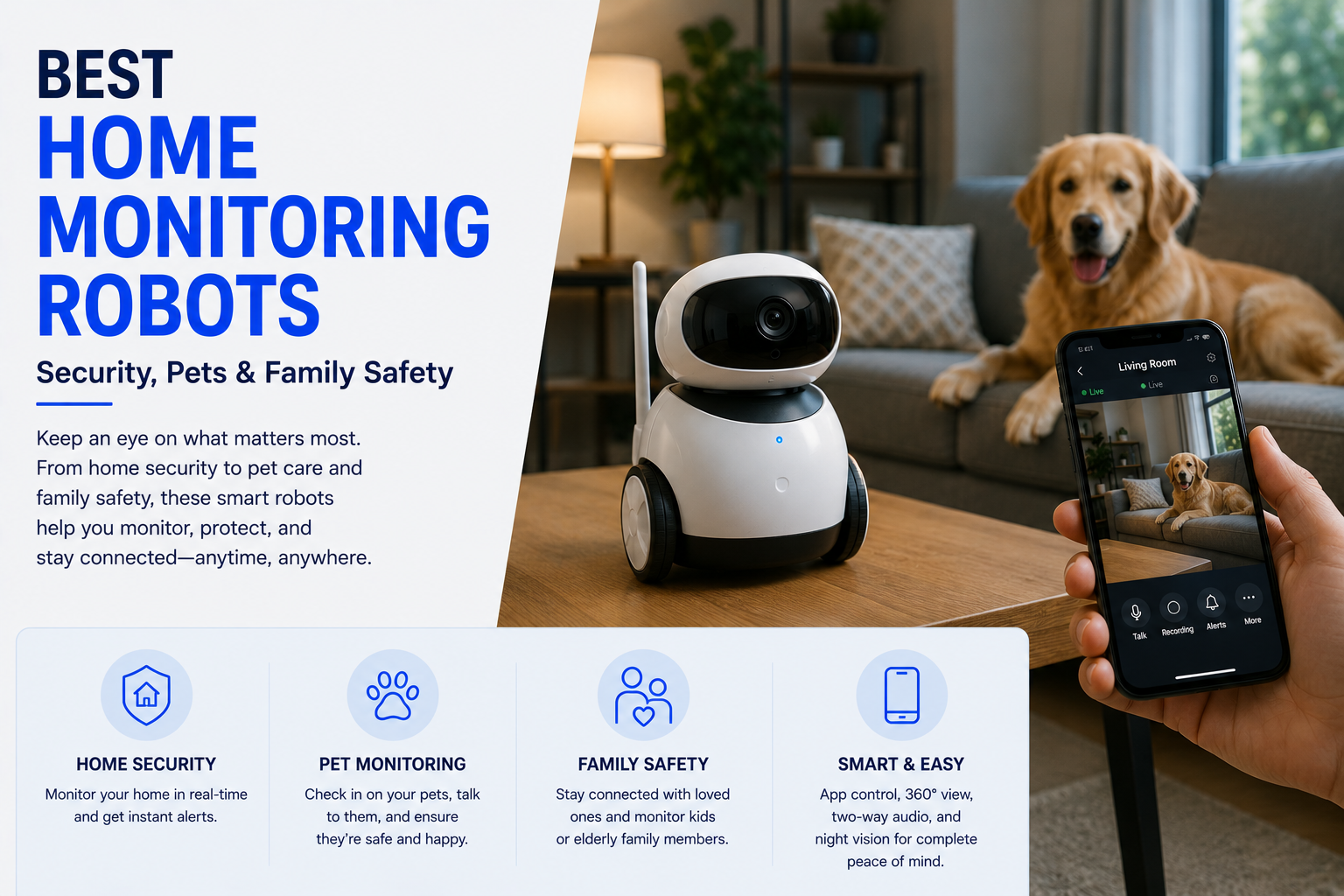
The best home monitoring robot is a stable mobile camera robot with reliable navigation, clear video, two-way audio, automatic charging, strong app controls, privacy protection, and useful alerts. Choose based on your main purpose: home security, pet monitoring, child check-ins, support for older family members, or remote communication. A robot should complement smoke alarms, door sensors, locks, and fixed security cameras rather than replace an entire home safety system.
Continue Your Research
Best Home Monitoring Robots at a Glance
Best Home Monitoring Robots Comparison
| Robot Type | Best For | Key Features | Main Limitation |
|---|---|---|---|
| Mobile Security Robot | Patrols and remote home checks | Motion detection, night vision, scheduled routes, alerts, automatic docking | Cannot replace professional emergency response |
| Pet Monitoring Robot | Dogs, cats, and indoor pets | Two-way audio, remote driving, wide-angle camera, quiet movement | Some pets may avoid or chase it |
| Family Telepresence Robot | Video calls and remote visits | Large display, mobile calling, simple controls, remote navigation | Often larger and more expensive |
| Older-Adult Check-In Robot | Routine contact and household awareness | Video calling, reminders, remote presence, voice controls | Not a medical monitoring or emergency-response replacement |
| Compact Camera Robot | Apartments and smaller homes | App control, live video, two-way audio, compact docking base | Limited stairs and room access |
| AI Home Monitoring Robot | Advanced alerts and smart-home routines | Object recognition, automated patrols, smart alerts, connected-device support | AI features may require subscriptions or cloud processing |
Ready to Choose a Home Monitoring Robot?
Compare the features that matter most for your home, including camera quality, navigation, privacy, pet safety, alerts, and automatic charging.
What Is a Home Monitoring Robot?
A home monitoring robot is a mobile connected device that combines a camera, microphones, speakers, navigation sensors, wireless connectivity, and remote controls. It can move around a home so the owner can check different rooms instead of depending on one fixed camera angle.
Some models are built primarily for security patrols. Others focus on pets, family video calls, remote companionship, or routine household check-ins. The most capable robots can follow scheduled routes, return to a charging dock, send motion or sound alerts, and connect with other smart-home devices.
- Provides live video from different rooms.
- Can be driven remotely through an app.
- May follow scheduled patrol routes.
- Supports two-way communication.
- Can send motion, sound, or activity alerts.
- May return automatically to a charging station.
- Can supplement fixed cameras and smart-home sensors.
What Home Monitoring Robots Do Best
Move between rooms and inspect areas outside the view of fixed security cameras.
Look in on pets, children with caregivers, older relatives, or an empty home while away.
Speak with family members, visitors, or pets through the robot’s microphone and speaker.
Use scheduled routes to inspect common areas, doors, hallways, and rooms.
Best Home Monitoring Robots for Security
For security, prioritize dependable motion alerts, night vision, video clarity, stable navigation, recording options, and automatic docking. A security-focused robot should be easy to launch remotely and capable of checking areas that fixed cameras cannot see.
The robot should also make it clear when its camera or microphone is active. Physical privacy controls, encrypted connections, account security, and multi-user permission settings matter as much as the camera resolution.
- Sharp live video in daylight and low light.
- Motion and unusual-sound alerts.
- Scheduled or on-demand patrol routes.
- Automatic return to the charging dock.
- Remote camera movement and navigation.
- Secure app access and account protection.
- Local or cloud recording options.
- Visible privacy indicators.
Best Home Monitoring Robots for Pets
A pet monitoring robot should move quietly, turn smoothly, and remain stable around curious animals. Remote driving lets owners follow pets into different rooms, while two-way audio can provide reassurance or interrupt unwanted behavior.
Camera height matters. A low camera can capture cats and small dogs more effectively, while a taller device may offer better room visibility. Owners should also consider wheel design, exposed cords, tipping resistance, and whether the robot can become trapped on rugs or thresholds.
- Quiet motor and smooth movement.
- Wide-angle camera positioned near pet level.
- Two-way audio with clear volume.
- Stable design that resists tipping.
- Safe wheels and covered moving parts.
- Easy remote steering.
- Good performance on rugs and hard floors.
- Optional treat or play features only when safe and useful.
Best Monitoring Robot by Household Need
| Household Need | Best Robot Type | What to Prioritize |
|---|---|---|
| Check an empty home | Mobile security robot | Patrol routes, motion alerts, night vision, docking, and recording |
| Watch dogs or cats | Pet monitoring robot | Quiet movement, low camera angle, two-way audio, and stability |
| Connect with distant family | Telepresence robot | Simple video calls, a large screen, remote movement, and good audio |
| Check on an older relative | Family check-in robot | Easy controls, calling, reminders, privacy, and caregiver permissions |
| Monitor a small apartment | Compact camera robot | Small footprint, reliable docking, app control, and obstacle avoidance |
| Automate smart-home checks | AI monitoring robot | Smart alerts, connected-device support, routine patrols, and secure data handling |
Best Home Monitoring Robots for Family Safety
Home monitoring robots can support family awareness by allowing remote visual check-ins, communication, and movement between rooms. They may be helpful when a parent wants to contact a child who is home with another caregiver, when relatives want to visit an older family member remotely, or when someone wants to confirm that a room or doorway is clear.
However, a mobile robot should not be treated as a babysitter, medical monitor, fall-detection system, smoke alarm, carbon-monoxide detector, or emergency service. It is an additional communication and observation tool.
- Simple video calling and two-way audio.
- Clear user permissions for family members.
- Visible camera and microphone indicators.
- Easy privacy mode.
- Reliable connection and charging.
- Stable movement around children and pets.
- No replacement for direct supervision or emergency devices.
Home Monitoring Robots vs Fixed Security Cameras
Fixed cameras are usually better for continuous coverage of entrances, driveways, nurseries, and high-risk locations. They can watch the same area around the clock and may offer better weather resistance, recording, and integration with alarm systems.
Monitoring robots are better when you need flexible views. A robot can check behind furniture, move from the living room to the kitchen, inspect a noise, or follow a pet. The strongest setup often combines fixed cameras for constant coverage with a mobile robot for investigation and remote presence.
| Feature | Monitoring Robot | Fixed Security Camera |
|---|---|---|
| Viewing area | Can move between rooms | Limited to one installed position |
| Continuous recording | Varies by model and battery strategy | Usually better suited to continuous monitoring |
| Investigating sounds | Can move toward another room | Cannot leave its fixed angle |
| Reliability | Depends on navigation, docking, and battery | Often simpler and more dependable |
| Privacy | Mobile camera may feel more intrusive | Coverage areas are easier to define |
| Best role | Remote investigation and communication | Constant coverage and event recording |
Related guide: Home Monitoring Robot vs Security Camera.
Camera Quality
A home monitoring robot needs more than a high resolution number. Image quality also depends on the camera lens, low-light performance, motion handling, app compression, internet speed, and camera height.
A wide-angle view helps the robot see more of the room, but excessive distortion can make details difficult to recognize. Digital zoom may be useful for checking a doorway or pet, but it cannot create detail that the camera did not capture.
- Clear live video at normal indoor distances.
- Good low-light or night-vision performance.
- Wide field of view without excessive distortion.
- Smooth video while the robot is moving.
- Useful camera tilt or adjustable viewing angle.
- Reasonable app delay.
- Recording quality that matches live-view quality.
Navigation and Floor Compatibility
Navigation is one of the biggest differences between a useful monitoring robot and a frustrating one. The robot should move predictably, avoid furniture, recognize drop-offs, and return to its dock without constant rescue.
Homes with stairs, thick rugs, raised thresholds, clutter, mirrored surfaces, dark flooring, or multiple levels can be challenging. Most mobile monitoring robots cannot climb stairs, so one robot may only cover a single floor.
- Reliable obstacle avoidance.
- Drop and stair detection.
- Stable turning and braking.
- Good performance on hard floors and low rugs.
- Ability to cross normal room thresholds.
- Automatic mapping or saved locations.
- Dependable return-to-dock behavior.
- Manual control when automation fails.
Battery Life and Automatic Charging
Battery life determines how long the robot can patrol or remain available between charges. A robot that automatically returns to its dock is more useful than one that frequently becomes stranded in another room.
Advertised runtime may be reduced by continuous video streaming, frequent movement, poor wireless signals, low temperatures, older batteries, and repeated failed docking attempts.
- Enough runtime for normal checks and patrols.
- Automatic low-battery return.
- Reliable charging contacts.
- Clear battery status in the app.
- Reasonable recharge time.
- Replacement battery availability.
- Manual charging option if docking fails.
Privacy and Cybersecurity
A mobile camera and microphone can access more of the home than a fixed camera, making privacy controls essential. Buyers should review how video is transmitted, whether recordings are stored locally or in the cloud, how long data is retained, and whether the company offers account protections such as multi-factor authentication.
Family members should know when the robot can be accessed and who has permission to control it. The robot should include obvious indicators when the camera, microphone, recording, or live connection is active.
- Encrypted video and account connections.
- Strong passwords and multi-factor authentication.
- Clear camera and microphone indicators.
- Physical shutter or privacy mode when available.
- Separate permissions for household members.
- Ability to delete stored recordings.
- Transparent cloud-storage and retention policies.
- Regular software and security updates.
Where Monitoring Robots Still Struggle
Most robots cannot move between floors, limiting whole-home coverage.
Cords, toys, narrow spaces, and uneven flooring can interrupt navigation.
A mobile camera can feel intrusive without clear permissions and visible privacy controls.
Robots can show a problem but usually cannot physically intervene or contact help without added services.
Smart Alerts and AI Features
Some monitoring robots can distinguish between movement, people, pets, or unusual sounds. These features may reduce unnecessary alerts, but buyers should not assume that artificial intelligence is always accurate.
False alerts can come from shadows, television screens, moving curtains, reflective surfaces, pets, or changes in lighting. More advanced recognition may also require cloud processing or a paid subscription.
- Person and pet detection.
- Unusual sound alerts.
- Custom activity zones or patrol locations.
- Adjustable notification sensitivity.
- Alert history with video clips.
- Clear explanation of cloud-based processing.
- Manual confirmation before treating alerts as emergencies.
Two-Way Audio and Video Calling
Two-way communication can make a monitoring robot useful beyond security. Owners can talk to pets, contact family members, greet visitors, or join a conversation from another location.
For regular video calling, prioritize microphone quality, speaker volume, screen size, camera positioning, and ease of answering. A telepresence robot may provide a more natural experience than a compact security robot, but it may cost more and require additional space.
- Clear speaker at normal room distance.
- Microphone that reduces motor noise.
- Simple call answering.
- Large display for family communication when needed.
- Remote camera positioning.
- Private call permissions.
- Reliable connection on household Wi-Fi.
Features That Matter Most
| Feature | Why It Matters | Who Needs It Most |
|---|---|---|
| Automatic docking | Keeps the robot available without frequent manual charging | Security patrol and daily check-in users |
| Night vision | Allows useful viewing in dark rooms and after sunset | Security and pet monitoring |
| Two-way audio | Supports communication with people and pets | Families, pet owners, and remote caregivers |
| Saved patrol points | Makes repeat checks faster and more consistent | Larger homes and security-focused users |
| Privacy mode | Reduces unwanted access to the camera and microphone | Every household |
| Multi-user access | Allows trusted family members to use the robot with separate permissions | Families and shared caregiving situations |
| Local recording | Can reduce dependence on cloud subscriptions | Privacy-focused and budget-conscious users |
| Subscription-free basics | Keeps essential live viewing and control available without monthly fees | Value-focused buyers |
Common Buying Mistakes
- Assuming one robot can monitor multiple floors.
- Choosing high camera resolution but ignoring navigation quality.
- Failing to check subscription requirements.
- Ignoring privacy settings and account security.
- Expecting a monitoring robot to replace alarms or emergency services.
- Buying a robot too large for narrow rooms.
- Not checking rug, threshold, and floor compatibility.
- Ignoring replacement batteries, parts, and warranty support.
- Assuming pets will immediately accept a moving robot.
- Overpaying for AI features that do not solve a real need.
Are Home Monitoring Robots Worth It?
A home monitoring robot can be worth it when mobility solves a real problem. It may add value if fixed cameras leave blind spots, if you frequently check on pets, if remote family communication matters, or if you want to inspect different rooms while traveling.
It may not be worth it in a small home already covered by fixed cameras, in a multi-level home where the robot cannot use stairs, or when subscriptions and maintenance exceed the value of mobile viewing.
- Worth it for flexible room-to-room viewing.
- Worth it for frequent pet or family check-ins.
- Worth it for controlled single-floor patrols.
- Worth it when automatic docking works reliably.
- Not worth it if fixed cameras already cover everything.
- Not worth it when the home is difficult to navigate.
- Not worth it if privacy concerns outweigh the benefits.
Related guide: Are Home Monitoring Robots Worth It?.
Who Should Buy a Home Monitoring Robot?
- Pet owners who want to move the camera between rooms.
- Frequent travelers who want flexible remote home checks.
- Families who use video calls and remote presence.
- People helping an independent older relative with routine check-ins.
- Homeowners who want mobile coverage alongside fixed cameras.
- Apartment residents who want a compact remote camera.
- Smart-home enthusiasts interested in automated patrol routines.
Who Should Choose Fixed Cameras Instead?
- Homes that need continuous entrance or outdoor recording.
- Buyers who want a simpler and lower-cost security setup.
- Multi-level homes without a practical way to move the robot.
- Homes with thick rugs, clutter, stairs, and difficult thresholds.
- People uncomfortable with a mobile camera inside the home.
- Users who need professional alarm monitoring or emergency dispatch.
- Buyers who do not need two-way mobile communication.
Final Verdict: What Is the Best Home Monitoring Robot?
The best home monitoring robot is not simply the model with the most artificial intelligence or the highest camera resolution. It is the robot that moves reliably through your home, provides clear video and audio, protects household privacy, returns to its charger, and solves a real monitoring need.
Security-focused buyers should prioritize alerts, night vision, patrol routes, and recording. Pet owners should emphasize quiet movement, stability, and easy remote control. Families should prioritize simple video calling, permissions, and privacy. For most homes, a monitoring robot works best as an additional layer beside fixed cameras, sensors, alarms, and direct human supervision.
Related Home Monitoring Guides
Best Home Monitoring Robots FAQ
What is the best home monitoring robot?
The best home monitoring robot is one with reliable navigation, clear video, two-way audio, automatic charging, useful alerts, secure app access, and strong privacy controls.
Can a monitoring robot replace security cameras?
Usually not. A robot adds mobile viewing, while fixed cameras are generally better for constant coverage and continuous recording. Many homes benefit from using both.
Are home monitoring robots good for pets?
They can be useful for pets because owners can move between rooms, watch live video, and use two-way audio. The robot should move quietly and remain stable around animals.
Can a home monitoring robot climb stairs?
Most consumer home monitoring robots cannot climb normal stairs, so they typically monitor only one floor unless someone moves them.
Do monitoring robots record video?
Recording options vary. Some support local storage, cloud clips, event recording, or continuous recording, while others focus mainly on live viewing.
Are home monitoring robots private?
Privacy depends on the device and how it is configured. Look for encryption, multi-factor authentication, visible camera indicators, privacy modes, user permissions, and clear data-retention policies.
Can a monitoring robot check on an older adult?
It can support routine video calls and remote visual check-ins, but it should not replace professional care, medical monitoring, fall detection, or emergency-response services.
Do home monitoring robots require a subscription?
Some models provide live viewing and basic control without a subscription but charge for cloud recording, smart alerts, extended history, or advanced AI features.
What happens if the robot loses Wi-Fi?
Remote viewing and control may stop. Some robots can return to the dock or continue limited local routines, but behavior varies by model.
Are home monitoring robots worth it?
They can be worth it for flexible room-to-room viewing, pet monitoring, travel check-ins, and family communication, especially when fixed cameras leave important blind spots.
We may earn a commission from qualifying purchases at no extra cost to you.