
Robot Mop Maintenance Guide: Keep Your Robot Mop Running Like New
A robot mop can save time, reduce daily floor cleaning, and keep hard floors looking better, but only if it is maintained correctly. This robot mop maintenance guide explains how to clean mop pads, empty dustbins, wash filters, refill water tanks, prevent odors, clean sensors, maintain self-cleaning docks, replace parts, and keep robot vacuum and mop combos working smoothly for years.
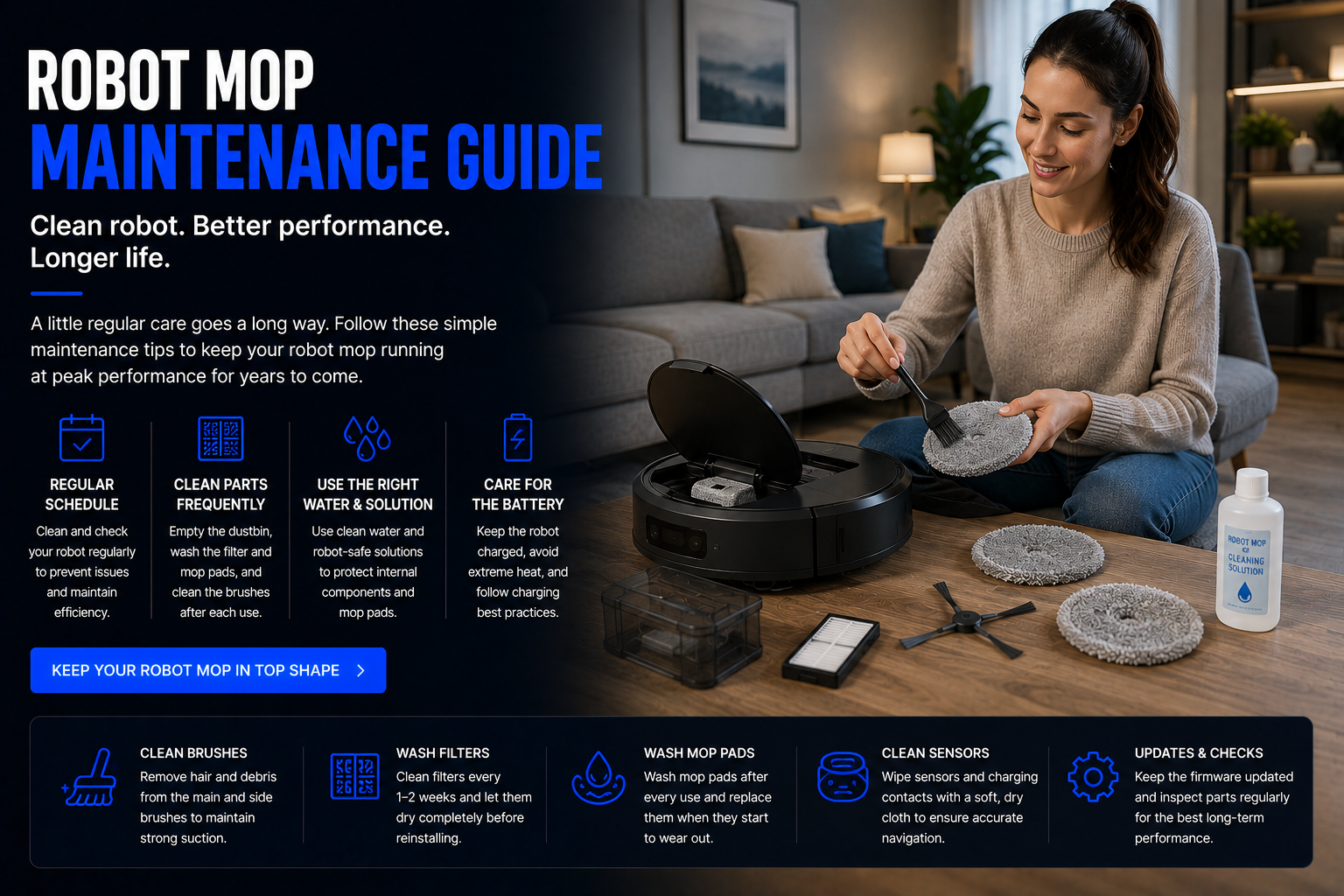
How Do You Maintain a Robot Mop?
To maintain a robot mop, clean the mop pads regularly, empty the dustbin, wash or replace filters, rinse the water tank, remove hair from brushes, wipe sensors, clean wheels, check the charging contacts, and maintain the dock. If you own a self-cleaning robot mop, you should also empty the dirty water tank, refill the clean water tank, clean the dock tray, and check the mop washing area for buildup.
Robot mops are small floor-cleaning robots, but they deal with dirt, pet hair, moisture, dust, crumbs, floor residue, and dirty water. Without regular maintenance, a robot mop can leave streaks, smell bad, lose suction, miss rooms, drag dirty pads across the floor, or stop docking correctly.
The best maintenance routine depends on your home size, floor type, pets, kids, cleaning frequency, and whether your robot is a basic robot mop, robot vacuum and mop combo, self-emptying robot mop, or self-cleaning robot mop with a washing dock.
Robot Mop Maintenance Guide
Clean or Replace the Mop Pads
Mop pads are the most important part of robot mop maintenance. A dirty mop pad can spread grime instead of cleaning the floor. After each cleaning cycle, remove the mop pad, rinse it thoroughly, and let it dry completely before the next use.
Washable microfiber pads should be cleaned often, especially in homes with pets, kids, kitchens, bathrooms, or large hard-floor areas. If the pad looks worn, smells bad, no longer absorbs water, or leaves streaks, replace it.
Empty the Dustbin After Cleaning
Most robot vacuum and mop combos collect dry debris before or during mopping. If the dustbin gets full, suction drops and the robot may push dirt around instead of removing it.
Empty the dustbin after every few runs, or after every run if you have pets, rugs, crumbs, litter dust, or high-traffic floors. Self-emptying models reduce this work, but the robot’s internal bin and dock bag still need regular checks.
Wash or Replace the Filter
Filters help trap dust, pet dander, fine debris, and particles before air leaves the robot. A clogged filter reduces suction and can make your robot mop less effective.
If the filter is washable, rinse it with water and let it dry completely before reinstalling. Never put a wet filter back into the robot. If the filter is not washable or looks worn, replace it according to the manufacturer’s schedule.
Refill and Rinse the Water Tank
The water tank should be refilled with clean water before mopping and emptied after use if the robot will sit for a while. Leaving water inside the tank for too long can create odors, buildup, or flow problems.
Use only water or manufacturer-approved cleaning solution. Some cleaners can damage internal parts, clog water lines, harm flooring, or void the warranty.
Remove Hair from Brushes and Rollers
Hair, thread, carpet fibers, and pet fur can wrap around the main brush, side brush, wheels, and roller areas. This can reduce cleaning power and make the motor work harder.
Check the brush system regularly. Pet owners may need to clean brushes several times per week. If the bristles are bent, rollers are damaged, or brushes no longer spin correctly, replacement may be needed.
Wipe Sensors and Cameras
Robot mops rely on sensors, cameras, lasers, bumpers, and cliff sensors to navigate. Dust or residue on these parts can cause navigation problems, missed rooms, docking issues, or false obstacle detection.
Use a soft dry cloth to wipe sensors gently. Do not spray cleaner directly onto the robot. If your robot uses mapping or obstacle avoidance, clean the sensor areas more often.
Clean the Wheels and Charging Contacts
Dirty wheels can reduce traction and make the robot struggle on room transitions. Dirty charging contacts can prevent proper docking and charging.
Wipe the wheels, remove debris from the wheel wells, and clean the metal charging contacts on the robot and dock with a dry cloth. If the robot repeatedly fails to charge, dirty contacts are one of the first things to check.
Maintain the Dock
The charging dock or self-cleaning dock is part of the robot mop system. Keep the dock area clear, clean the dock tray, wipe the charging contacts, and make sure the robot has enough space to enter and exit correctly.
For self-cleaning robot mops, empty the dirty water tank, refill the clean water tank, rinse the dock tray, check for hair buildup, and clean any mop washing components as needed.
Robot Mop Maintenance Schedule
| Task | How Often | Why It Matters | Best For |
|---|---|---|---|
| Rinse mop pads | After every mopping run | Prevents streaks, odors, and dirty floors | All robot mops |
| Empty dustbin | Every 1-3 runs | Maintains suction power | Robot vacuum mop combos |
| Clean filter | Weekly or as needed | Improves airflow and dust capture | Homes with pets or dust |
| Clean brushes | Weekly | Removes wrapped hair and debris | Pet owners and large homes |
| Wipe sensors | Weekly | Improves navigation and docking | Mapping robot mops |
| Rinse water tank | Weekly | Prevents buildup and odors | All mopping robots |
| Clean dock tray | Weekly | Prevents grime buildup | Self-cleaning robot mops |
| Replace mop pads | As worn | Maintains mopping performance | Frequent mopping homes |
Most Important Robot Mop Parts to Maintain
Mop Pads
Mop pads collect floor residue, dust, dirt, and moisture. Clean pads are essential for streak-free mopping and odor prevention.
Dustbin
A full dustbin reduces suction and can cause the robot to leave debris behind during vacuuming and mopping cycles.
Filters
Filters protect airflow and help trap dust, pet dander, and small particles. Dirty filters make the robot work harder.
Brushes
Main brushes and side brushes collect hair, crumbs, dirt, and debris. Tangled brushes reduce cleaning power.
Sensors
Sensors help the robot map rooms, avoid drops, detect obstacles, and return to the dock. Dusty sensors can cause navigation issues.
Dock
The dock charges the robot and may wash mop pads, collect dirty water, empty dust, or dry pads depending on the model.
How to Prevent Robot Mop Odors
Robot mop odors usually come from dirty mop pads, old water, dirty water tanks, dock trays, damp pads, or floor residue sitting too long. To prevent smells, rinse mop pads after use, let pads dry fully, empty dirty water tanks, clean dock trays, and avoid leaving dirty water inside the system.
If your robot mop has mop drying, use it. Mop drying can help reduce damp odors and mildew risk. If your robot does not have drying, remove the mop pad after use and air dry it away from the robot.
Do not cover bad smells with random cleaners or fragrances unless the manufacturer approves them. Unapproved cleaning liquids can damage the robot, clog the water system, or harm floors.
How to Maintain a Self-Cleaning Robot Mop
Self-cleaning robot mops reduce manual work, but they still need maintenance. The dock may wash mop pads automatically, but you still need to empty dirty water, refill clean water, clean the dock tray, inspect mop pads, check brushes, replace filters, and clean the robot body.
The dirty water tank is one of the most important parts to clean. If dirty water sits too long, it can smell bad. Empty and rinse the tank regularly, especially after heavy cleaning sessions.
The mop washing area can also collect hair, grime, residue, and buildup. Wipe it down regularly so the dock can keep washing the mop pads effectively.
Robot Mop Maintenance for Pet Owners
Pet owners should maintain robot mops more often because pet hair, dander, paw prints, litter dust, food crumbs, and outdoor dirt can fill bins and dirty mop pads quickly. A robot vacuum and mop combo in a pet home may need brush cleaning, filter checks, and mop pad washing several times per week.
Check for hair wrapped around the roller brush, side brush, wheels, and edge areas. Empty the dustbin frequently and replace filters when suction drops. Wash mop pads after pet-heavy cleaning sessions so the robot does not spread residue across the floor.
If your pet sheds heavily, consider using a robot vacuum first or choosing a robot mop combo with strong suction, self-emptying, and a self-cleaning dock.
Robot Mop Maintenance for Large Homes
Large homes place more demand on robot mops because the robot covers more floor area, uses more water, collects more dirt, and runs for longer sessions. That means mop pads, filters, brushes, water tanks, and docks may need attention more often.
If your robot mop cleans multiple rooms, check the mop pad during long cleaning sessions. A dirty pad can reduce cleaning quality across the rest of the home. Self-cleaning robot mops are especially useful for large homes because the dock can wash the pads during or after cleaning.
Large-home owners should also keep maps updated, clear major obstacles, use room-by-room scheduling, and clean sensors regularly to maintain efficient navigation.
Common Robot Mop Problems and Fixes
| Problem | Common Cause | What to Try |
|---|---|---|
| Robot mop leaves streaks | Dirty mop pad or too much water | Wash pad, reduce water level, clean floor more often |
| Robot mop smells bad | Damp pad, dirty tank, dirty dock tray | Dry pads, empty tanks, clean dock area |
| Weak suction | Full dustbin, clogged filter, tangled brush | Empty bin, clean filter, remove hair from brush |
| Robot gets lost | Dirty sensors or outdated map | Wipe sensors, update map, clear obstacles |
| Robot will not dock | Dirty contacts or blocked dock area | Clean contacts and clear space around dock |
| Water not flowing | Empty tank, clog, incorrect pad install | Refill tank, inspect water outlet, reinstall pad |
| Mop pad falls off | Worn pad or attachment strip | Reattach correctly or replace mop pad |
Robot Mop Cleaning Solution Tips
Many robot mops are designed to use water only, while some allow specific manufacturer-approved cleaning solutions. Always check the robot’s manual before adding cleaning liquid. Using the wrong cleaner can clog the water system, damage internal parts, leave floor residue, or void the warranty.
Avoid bleach, harsh chemicals, thick soaps, waxes, oils, and unapproved disinfectants inside the robot water tank. If you need stronger floor cleaning, spot clean manually before or after the robot mop runs.
For most homes, clean water and a clean mop pad are more important than adding extra solution. A dirty pad with cleaner still leaves poor results.
When Should You Replace Robot Mop Parts?
Robot mop parts wear down over time. Mop pads lose absorbency, filters clog, side brushes bend, main brushes wear out, batteries age, and dock supplies may need replacement. Replacement timing depends on how often you clean, how dirty your floors are, whether you have pets, and the specific robot model.
- Mop pads: Replace when worn, stained, smelly, thin, or less absorbent.
- Filters: Replace when airflow drops, dust escapes, or cleaning no longer restores performance.
- Side brushes: Replace when bristles bend, break, or stop sweeping edges well.
- Main brush: Replace when worn, damaged, noisy, or tangled beyond cleaning.
- Dust bags: Replace when full if your dock uses disposable bags.
- Battery: Consider replacement if runtime drops significantly after long-term use.
Robot Mop vs Manual Mop Maintenance
A manual mop requires rinsing, wringing, drying, bucket cleaning, and replacement mop heads. A robot mop requires pad washing, tank care, dustbin emptying, filter cleaning, brush maintenance, sensor cleaning, and dock care.
The difference is that a robot mop can clean automatically on a schedule, while manual mopping requires your time and physical effort. Robot mop maintenance is usually easier than frequent manual mopping, but it is not zero maintenance.
The best results come from using the robot mop for routine maintenance and still doing occasional deep cleaning when floors need extra attention.
Are Robot Mops Hard to Maintain?
Robot mops are not hard to maintain, but they do require consistency. Most maintenance tasks are simple: rinse the pad, empty the bin, clean the filter, wipe sensors, remove hair, and refill water. The problem usually happens when owners skip these small tasks for too long.
A basic robot mop requires more manual pad cleaning. A robot vacuum and mop combo adds dustbin, brush, and filter maintenance. A self-cleaning robot mop reduces pad washing but adds dock, water tank, and dirty water maintenance.
If you want the easiest routine, choose a self-cleaning robot mop with mop washing, mop drying, self-emptying, and clear app reminders.
Future of Robot Mop Maintenance
Robot mop maintenance is becoming easier as more models add self-cleaning docks, self-emptying dustbins, mop washing, mop drying, automatic water management, app reminders, and smarter diagnostics. These features are slowly moving from premium robot mops into more affordable models.
Future robot mops may be able to detect dirty mop pads, measure water quality, identify clogs, recommend replacement parts, adjust cleaning routines based on floor dirt, and work more closely with AI home robots, home assistant robots, robot vacuums, and home monitoring systems.
For homeowners, this means robot mops should become easier to own over time. The long-term trend is toward less manual maintenance and smarter home robotics systems that manage more of the cleaning process automatically.
Related Robot Mop Guides
Related Home Robot Guides
Robot Mop Maintenance FAQ
How often should I clean my robot mop?
You should rinse the mop pad after every mopping run, empty the dustbin every few runs, clean filters weekly, wipe sensors regularly, and maintain the dock as needed.
Do robot mop pads need to be washed after every use?
Yes, it is best to wash or rinse mop pads after every use so the robot does not spread dirt, odors, or floor residue during the next cleaning cycle.
Why does my robot mop smell bad?
Bad smells usually come from dirty mop pads, damp pads, dirty water tanks, dock buildup, or water sitting too long inside the system.
Can I put cleaning solution in my robot mop?
Only use cleaning solution if the manufacturer allows it. Many robot mops require water only or specific approved cleaning solutions.
Why is my robot mop leaving streaks?
Streaks are often caused by dirty mop pads, too much water, floor residue, worn pads, or using the wrong cleaning solution.
How often should I replace robot mop pads?
Replace mop pads when they become worn, stained, smelly, less absorbent, or less effective at cleaning.
How do I clean a robot mop filter?
If the filter is washable, rinse it and let it dry completely before reinstalling. If it is not washable, tap out dust or replace it when needed.
Why is my robot mop not spraying water?
Common causes include an empty water tank, clogged water outlet, incorrectly installed mop pad, blocked water line, or app water settings being too low.
How do I maintain a self-cleaning robot mop?
Empty the dirty water tank, refill the clean water tank, clean the dock tray, inspect mop pads, clean brushes, check filters, and wipe sensors regularly.
Do robot mops need replacement parts?
Yes. Mop pads, filters, brushes, dust bags, rollers, and sometimes batteries need replacement over time.
How do I stop hair from tangling in my robot mop?
Clean the main brush, side brush, wheels, and roller areas regularly. Pet owners may need to remove hair several times per week.
Can poor maintenance damage a robot mop?
Yes. Skipping maintenance can reduce suction, cause odor, create water flow problems, damage brushes, affect sensors, and shorten the robot’s lifespan.
Shop Robot Mop Accessories
Keeping your robot mop clean helps protect performance, reduce odors, improve navigation, and extend the life of the robot. Compare robot mops, mop pads, filters, replacement brushes, self-cleaning systems, and smart floor-cleaning accessories for your home.
Shop Robot Mop Accessories