
Best Home Monitoring Robots for Pets
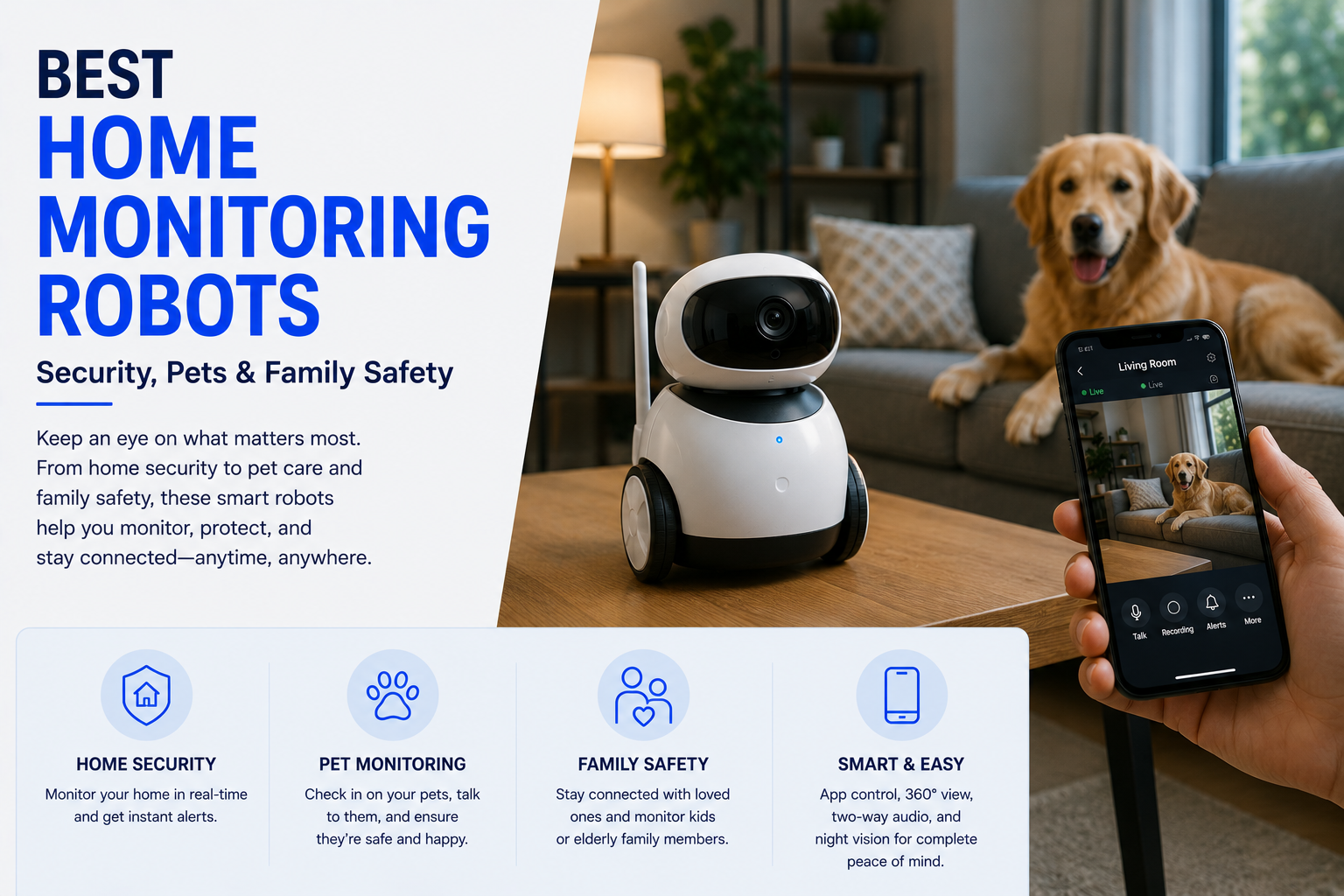
Find the best home monitoring robots for pets including mobile cameras, two-way audio, interaction features, alerts, and remote pet monitoring. Choose systems that improve visibility and communication without replacing direct care, emergency response, or a complete security system.
As an Amazon Associate, HomeBotGuide may earn from qualifying purchases at no extra cost to you.
A compact roaming camera robot is best for checking pets in multiple rooms, while a self-docking model is better for longer unattended use. Choose clear video, reliable two-way audio, obstacle handling, quiet movement, app security, and a stable charging dock before novelty play features.
Best Home Monitoring Robots for Pets at a Glance
Mobile video, two-way audio, alerts, patrols, and automatic charging.
Remote steering and basic interaction without advanced autonomy.
Adds controlled play or rewards for selected pets.
Mobile inspection plus dependable coverage of key rooms.
Best Home Monitoring Robots for Pets Comparison Table
| Option | Best For | Core Features | Important Limitation |
|---|---|---|---|
| Self-Docking Robot | Multi-room pet checks | Patrol, app driving, two-way audio | May get stuck or miss levels |
| Compact Pet Robot | Small homes | Quiet driving, low profile, live video | Limited obstacle clearance |
| Treat Robot | Interactive pets | Treat tossing, audio, video | Food compatibility and cleaning |
| Fixed Pet Camera | One important room | Stable alerts and recording | No mobility |
| Robot + Wearable | Location and behavior context | Indoor video plus activity data | More devices and subscriptions |
| Robot + Fixed Cameras | Best total coverage | Mobile inspection and fixed evidence | Higher cost and privacy footprint |
What Home Monitoring Robots Can Actually Do
Home monitoring robots combine a mobile base, camera, microphone, speaker, app controls, sensors, and sometimes patrol or telepresence functions. Their strongest advantage is changing viewpoint without installing a camera in every room.
They remain dependent on floors, battery, Wi-Fi, software, and remote access. They should supplement—not replace—fixed security cameras, alarms, caregiving, veterinary care, medical alert systems, or emergency services.
- Move through accessible indoor areas.
- Provide live video and two-way audio.
- Send selected motion, sound, person, or pet alerts.
- Support patrols, check-ins, or telepresence.
- Return to a charging dock on supported models.
Main Types to Consider
Patrol, app driving, two-way audio
Quiet driving, low profile, live video
Treat tossing, audio, video
Stable alerts and recording
Enabot EBO and ROLA-Style Robots
Enabot markets mobile family and pet robots that combine cameras, app driving, audio, patrol functions, and family interaction. Compact ROLA-style robots are designed to move around a home and inspect pets beyond one fixed camera angle.
- Confirm the robot fits the intended monitoring goal.
- Test mobility, video, alerts, and docking in the actual home.
- Review privacy, recording, subscriptions, and shared access.
- Maintain human, security, and emergency backup plans.
Self-Docking Mobile Pet Cameras
Auto-return charging is important because a roaming camera is not useful if its battery dies under furniture. Evaluate dock-finding reliability, floor transitions, rugs, slopes, furniture clearance, and whether patrol schedules work without constant supervision.
- Confirm the robot fits the intended monitoring goal.
- Test mobility, video, alerts, and docking in the actual home.
- Review privacy, recording, subscriptions, and shared access.
- Maintain human, security, and emergency backup plans.
Interaction and Enrichment Features
Two-way audio, treat delivery, laser or toy functions, and recorded messages can help some pets, but reactions vary. Introduce movement and sound gradually and stop using features that cause fear, guarding, overstimulation, or unsafe chasing.
- Confirm the robot fits the intended monitoring goal.
- Test mobility, video, alerts, and docking in the actual home.
- Review privacy, recording, subscriptions, and shared access.
- Maintain human, security, and emergency backup plans.
Fixed Cameras as a Companion System
A robot should not be the only camera protecting a critical area. Fixed cameras remain better for entrances, crates, feeding areas, and continuous event recording, while the robot can investigate other rooms.
- Confirm the robot fits the intended monitoring goal.
- Test mobility, video, alerts, and docking in the actual home.
- Review privacy, recording, subscriptions, and shared access.
- Maintain human, security, and emergency backup plans.
Monitoring Is Not Emergency Response
A consumer monitoring robot may miss an event, lose connection, become stuck, run out of power, or generate a false alert.
Use dedicated smoke and carbon-monoxide alarms, security systems, medical alert services, professional care, veterinary care, and emergency services whenever those protections are needed.
Mobility, Floors, and Docking
Evaluate thresholds, rugs, cables, dark floors, furniture clearance, narrow passages, pet toys, slopes, and stairs. Automatic charging matters only when the robot can reliably find and approach its dock.
Camera, Audio, and Smart Alerts
Compare real night vision, field of view, camera height, motion blur, microphone clarity, speaker volume, notification delay, person and pet detection, patrol scheduling, and event history.
Privacy, Recording, and Account Security
Mobile cameras can reveal more of a home's interior than fixed cameras. Use unique passwords, multifactor authentication when available, firmware updates, limited sharing, visible recording policies, and careful cloud-storage settings.
Battery, Storage, and Subscription Costs
Include battery runtime, charging time, dock reliability, local storage, cloud clips, AI subscriptions, replacement batteries, accessories, warranty, and app-support history.
How to Test a Monitoring Robot
Test every intended route and obstacle.
Verify notification speed and accuracy.
Review accounts, recording, and sharing.
Simulate low battery, Wi-Fi loss, and blocked docking.
How We Evaluated the Options
We prioritized mobility, obstacle handling, camera quality, low-light performance, audio, alerts, docking, battery, storage, privacy, app stability, subscriptions, household usability, replacement parts, and manufacturer support.
Final Verdict
A compact roaming camera robot is best for checking pets in multiple rooms, while a self-docking model is better for longer unattended use. Choose clear video, reliable two-way audio, obstacle handling, quiet movement, app security, and a stable charging dock before novelty play features.
Best Home Monitoring Robots for Pets FAQ
What is a pet monitoring robot?
It is a mobile indoor camera that can be driven or patrol through the home while providing video, audio, alerts, and selected interaction features.
Is a robot better than a fixed pet camera?
A robot covers multiple rooms and changing angles, while a fixed camera is more reliable for continuous coverage of one location.
Can a pet robot return to its charger?
Selected models can dock automatically, but rugs, thresholds, clutter, and dock placement can affect success.
Will a monitoring robot scare my pet?
Some pets ignore it, while others react to movement, motors, lights, or audio. Introduce it gradually under supervision.
Can pet robots climb stairs?
Most small indoor monitoring robots cannot climb stairs and should be used on one level at a time.
Do pet robots record continuously?
Recording options vary. Some provide live view, event clips, local storage, or cloud plans rather than continuous recording.
Are treat-dispensing robots safe?
Use compatible treats, control portions, clean food-contact parts, and avoid unsupervised use with pets that guard or chew devices.
Can I talk to my pet through the robot?
Most pet-focused monitoring robots include a microphone and speaker for two-way audio.
What privacy settings matter?
Use a unique password, multifactor authentication if available, current firmware, limited sharing, and clear recording settings.
Can a pet robot replace a sitter?
No. It can support remote checks but cannot provide exercise, feeding, medication, cleanup, emergency care, or physical assistance.