
Best Educational Robots for Kids
Educational robots turn coding, engineering, logic, creativity, and problem solving into hands-on activities children can see and control. The best option depends on the child's age, whether they prefer building or ready-to-run play, the coding platform they can use, and how far the system can grow from simple commands into more advanced programming.
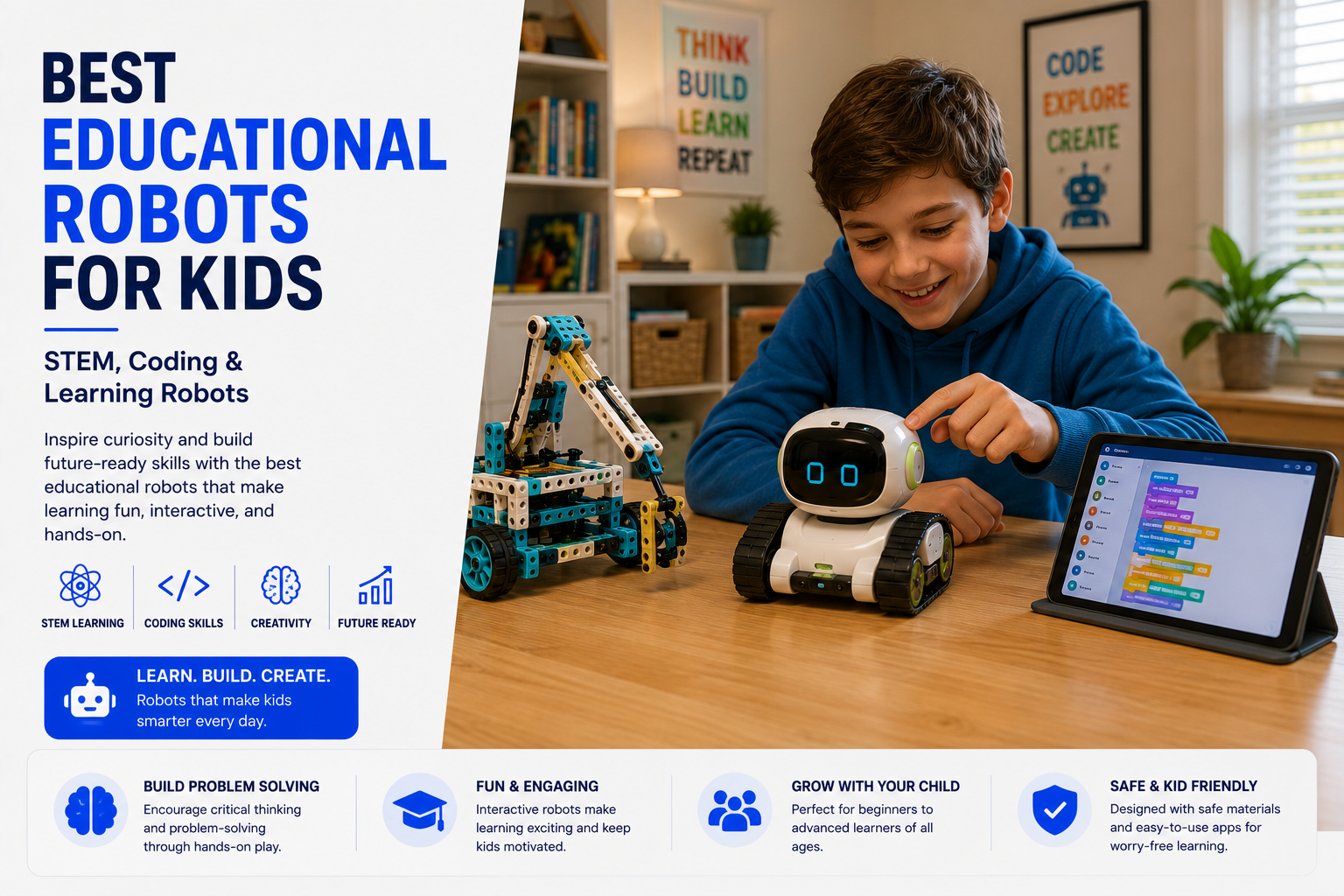
The best educational robot is one that matches the child's current ability while leaving room to progress. Younger children often do best with screen-free commands or simple drag-and-drop blocks. Elementary and middle-school learners can move into sensors, loops, variables, building challenges, Scratch-style coding, and eventually Python or JavaScript. A durable robot with strong lessons and open-ended projects usually offers more long-term value than a toy built around a few scripted reactions.
Best Educational Robots for Kids at a Glance
Educational Robot Comparison Table
| Robot | Best For | Coding Style | Key Consideration |
|---|---|---|---|
| LEGO Education SPIKE Prime | Structured STEM, building, and advanced projects | Scratch-based blocks and Python-based text coding | Excellent depth, but the system is designed more like a serious education kit than a simple toy. |
| Sphero BOLT+ | Creative coding, sensors, movement, and classroom challenges | Draw, block, JavaScript, and Python pathways | Works best with a compatible device and learners who enjoy open-ended experimentation. |
| Wonder Workshop Dash | Beginner-friendly coding and interactive play | Drag-and-drop block coding | Easy to approach, though older learners may eventually want more advanced hardware control. |
| Makeblock mBot2 | Robotics building, AI concepts, and progressive coding | Block coding with advanced programming options | Assembly and setup add learning value but require more adult help at the beginning. |
| Screen-free coding robot | Preschool and early elementary sequencing | Buttons, cards, tiles, or color paths | Very accessible, but usually offers less advanced programming depth. |
| AI companion learning robot | Conversation, creativity, and interactive activities | Voice, app activities, and guided interactions | Privacy, subscriptions, cloud dependence, and long-term support deserve careful review. |
What Makes a Robot Educational?
A robot becomes educational when children can predict what it will do, create instructions, test those instructions, notice mistakes, and improve the result. The strongest learning robots do more than entertain. They make cause and effect visible and encourage children to solve problems through repeated experimentation.
Good systems also provide a progression. A child may begin by moving a robot forward, then add turns, loops, lights, sounds, sensors, variables, and decision-making. That progression transforms play into practical computational thinking.
- Clear connection between a command and the robot's behavior.
- Projects that encourage planning, testing, and debugging.
- Multiple difficulty levels for continued learning.
- Hands-on use of motors, lights, sounds, and sensors.
- Opportunities for creativity rather than only following instructions.
- Lessons that connect coding to math, science, engineering, or storytelling.
Best Educational Robot Categories
Teach sequencing, direction, logic, and early debugging without requiring a phone or tablet.
Use visual blocks, challenges, sensors, and interactive projects to build programming skills.
Combine mechanical construction, electronics, motors, and code for deeper engineering learning.
Add voice, recognition, adaptive activities, or conversational features that require closer privacy review.
Best Educational Robots for Younger Kids
For preschool and early elementary learners, the best robots make sequencing easy to understand. Physical direction buttons, coding cards, floor grids, color tiles, and immediate movement help children connect a command with an outcome.
At this stage, simplicity is a strength. A robot that can complete a ten-step sequence reliably may teach more than a feature-heavy robot that requires complicated setup or constant adult assistance.
- Choose large, durable controls and clear visual feedback.
- Look for short activities that can be repeated in different ways.
- Prioritize direction, order, patterns, and simple loops.
- Use obstacle courses to make problem solving physical.
- Avoid systems that depend on reading-heavy instructions.
- Check small-parts guidance for younger siblings.
Best Coding Robots for Elementary Students
Elementary learners are often ready for drag-and-drop coding, sensors, events, loops, conditionals, and creative challenges. Robots such as Dash, Sphero models, and entry-level Makeblock systems can make abstract coding ideas visible through movement, lights, sounds, and reactions.
The most useful robot at this age is not necessarily the most advanced one. It should be easy enough for a child to start independently but flexible enough to support increasingly complex projects.
- Block coding with icons or readable commands.
- Guided lessons plus open project space.
- Distance, light, motion, color, or sound sensors.
- Creative challenges involving mazes, art, games, or storytelling.
- Reliable Bluetooth or USB connectivity.
- Progress tracking without forcing a subscription.
Educational Robots by Learning Goal
| Learning Goal | Best Robot Type | Why It Fits |
|---|---|---|
| Learn sequencing | Screen-free coding robot | Turns command order into immediate physical movement. |
| Practice Scratch-style coding | App-based block coding robot | Introduces events, loops, variables, and conditionals visually. |
| Learn robotics engineering | Buildable kit with motors and sensors | Connects mechanical design, electronics, and programming. |
| Move toward Python | Advanced classroom or maker robot | Provides a transition from blocks into readable text code. |
| Build creativity | Robot with drawing, music, lights, or accessories | Lets children create art, games, stories, and performances. |
| Explore AI concepts | Robot with vision, voice, or recognition features | Makes automation and machine interaction tangible while opening privacy discussions. |
LEGO Education SPIKE Prime
LEGO Education SPIKE Prime combines familiar building elements with motors, sensors, a programmable hub, structured lessons, and a coding path that can move from Scratch-style blocks toward Python-based text coding. It is especially strong for children who enjoy both construction and programming.
The system offers substantial learning depth, but families should view it as an education platform rather than a casual toy. It is best for motivated learners, robotics clubs, homeschool STEM programs, and older children who will use the projects repeatedly.
- Strong combination of engineering and coding.
- Useful for structured lessons and open builds.
- Supports progression from visual to text-based coding.
- Well suited to collaborative projects.
- Requires organized storage for many components.
- Current buyers should verify product lifecycle and software-support details.
Sphero BOLT+ and Sphero Coding Robots
Sphero robots use movement, an LED matrix, sensors, drawing activities, and programmable behaviors to make coding visible. BOLT+ supports a progression through Draw, Block, and Text programming, creating a useful bridge from beginner commands to more advanced coding.
These robots are especially effective for mazes, geometry, games, science demonstrations, and creative classroom challenges. Their rolling form is simple, but the range of possible projects can be broad.
- Excellent for motion-based coding challenges.
- Supports visual feedback through lights and movement.
- Useful for geometry, art, games, and simulations.
- Durable design for repeated classroom-style use.
- Requires a compatible device for most coding activities.
- Best value comes from using many projects, not only remote-control play.
Wonder Workshop Dash
Dash is designed to make coding approachable through a friendly ready-to-run robot and beginner-focused drag-and-drop activities. Children can program movement, sounds, lights, and accessory-based projects without first assembling a complex machine.
It is a strong fit for families that want a lower setup barrier. Dash can grow with a child through increasingly complex block programs, though advanced learners may eventually want a platform with more direct electronics or text-based programming.
- Friendly design for first-time coders.
- No major mechanical assembly required.
- Useful Blockly-style progression.
- Accessories can extend drawing and launching projects.
- Works best when parents introduce challenges beyond free driving.
- Check device and app compatibility before purchase.
Makeblock mBot2
Makeblock mBot2 combines a buildable robot chassis, motors, sensors, connected hardware, and coding lessons. It is a stronger choice for children who want to understand how a robot is assembled as well as how it is programmed.
Its project depth can support robotics, automation, AI concepts, and engineering problem solving. The tradeoff is that initial assembly and setup may require more adult involvement than a ready-to-run robot.
- Hands-on mechanical and electronic construction.
- Good transition from block coding to more advanced work.
- Supports robotics and AI-themed projects.
- Expandable for maker-style experimentation.
- More setup than a sealed consumer robot.
- Best for children who enjoy building as much as coding.
Features That Matter Most
The robot should move from easy commands toward loops, variables, sensors, and text coding.
Movement, lights, sounds, and sensors should make the effect of code easy to observe.
A strong library of lessons and open challenges prevents the robot from becoming a short-lived novelty.
Compatible apps, replacement parts, documentation, updates, and privacy controls matter over time.
Screen-Free Coding vs App-Based Robots
Screen-free robots are ideal for early sequencing and logical thinking. Children enter commands directly with buttons, cards, or tiles, then watch the robot follow the sequence. This keeps attention on physical problem solving and can reduce setup.
App-based robots provide greater depth. They can introduce loops, conditionals, variables, sensor data, debugging tools, and text coding. The choice should depend on age and learning goals rather than a general belief that screens are always better or worse.
- Choose screen-free for early learners and simple group activities.
- Choose app-based systems for deeper programming progression.
- Check whether the app works offline.
- Verify Chromebook, tablet, phone, or computer compatibility.
- Review account and data requirements.
- Consider whether siblings will share one device.
Scratch, Python, and JavaScript Support
Many educational robots begin with visual blocks based on Scratch concepts. This lets children focus on logic before worrying about punctuation or syntax. Advanced platforms may later expose Python or JavaScript, allowing the same robot to remain useful as programming skills improve.
- Block coding is ideal for sequences, events, loops, and conditionals.
- Python offers a readable path into text programming.
- JavaScript can support event-driven and interactive projects.
- A smooth transition matters more than offering many languages immediately.
- Look for examples that explain how block programs map to text code.
- Confirm whether advanced coding requires a computer rather than a tablet.
AI Interaction, Cameras, Microphones, and Privacy
Some learning robots include voice recognition, cameras, facial tracking, cloud services, or AI-generated interactions. These features can make a robot engaging, but they also introduce privacy and support questions that do not apply to a basic offline coding robot.
- Check whether audio or video is stored locally or in the cloud.
- Review parental controls and account requirements.
- Find out whether the robot works without a subscription.
- Confirm whether core features remain available if cloud support changes.
- Teach children when microphones and cameras are active.
- Avoid sharing personal information through conversational robots.
Best Educational Robot by Age Group
| Age Group | Recommended Robot Style | Main Learning Focus |
|---|---|---|
| Ages 4–6 | Screen-free button, card, tile, or color-command robot | Sequencing, direction, patterns, and cause and effect. |
| Ages 6–8 | Simple app-based robot or advanced screen-free system | Loops, problem solving, mazes, storytelling, and basic debugging. |
| Ages 8–11 | Block-coding robot with sensors and accessories | Events, conditionals, variables, creative projects, and engineering basics. |
| Ages 11–14 | Buildable robot with advanced sensors and text-coding options | Robotics, Python, data, automation, and design challenges. |
| Teens | Open maker platform, competition robot, or classroom engineering kit | Mechanical design, electronics, algorithms, AI concepts, and complex projects. |
| Mixed-age siblings | Robot with several coding modes and open-ended challenges | Shared projects with different roles and difficulty levels. |
Common Buying Mistakes
- Choosing by advertised age without considering the child's actual reading and coding level.
- Buying a robot that requires a device the family does not own.
- Focusing on remote-control play instead of programmable activities.
- Ignoring subscription, account, or cloud requirements.
- Buying an advanced kit without enough adult setup support.
- Assuming a screen-free robot cannot teach meaningful coding concepts.
- Choosing a closed system with too few projects.
- Overlooking replacement parts, batteries, and charging cables.
- Ignoring privacy features on AI-connected robots.
- Buying a robot for its appearance rather than its learning progression.
Final Verdict: Which Educational Robot Is Best?
The best educational robot for kids is the one that turns curiosity into repeated experimentation. It should be simple enough to produce an early success, challenging enough to support growth, and flexible enough to encourage children to create projects that are not limited to the instruction manual.
For younger learners, start with screen-free sequencing or simple block coding. For older children, prioritize sensors, building, Scratch-style programming, and a path toward Python or JavaScript. Strong lessons, reliable software, and long-term project depth matter more than novelty features.
Related Educational Robot Guides
Best Educational Robots for Kids FAQ
What is an educational robot for kids?
An educational robot is a programmable toy or learning system that helps children practice coding, engineering, logic, creativity, problem solving, and computational thinking through hands-on activities.
What is the best educational robot for most kids?
For many families, the best choice is a robot with beginner-friendly block coding, guided projects, durable hardware, and room to progress into more advanced programming as the child gains confidence.
What age is best for a coding robot?
Simple screen-free robots can work well for children around ages four to seven, while app-based block coding often fits ages six to twelve. Older children may benefit from robots that support Python or JavaScript.
Are educational robots worth it?
They can be worth it when the robot matches the child's age, interests, and learning level and includes enough activities to support repeated use rather than only a few novelty interactions.
Do kids need a tablet or computer to use a coding robot?
Some robots require an app, tablet, Chromebook, or computer, while screen-free coding robots use physical buttons, cards, tiles, or color commands. Device requirements should be checked before purchase.
Can educational robots teach real programming?
Yes. Many systems begin with icon or block coding and later introduce text-based languages such as Python or JavaScript, helping children understand sequencing, loops, variables, events, sensors, and debugging.
What is the best screen-free coding robot?
The best screen-free robot is one that uses simple physical commands, gives clear feedback, and lets children build increasingly complex sequences without requiring an app for every activity.
Are AI robots safe for children?
AI-enabled robots can be useful, but parents should review microphone, camera, account, cloud, data collection, and privacy settings. Children should understand when a robot is recording or connected online.
What should I look for in a STEM robot?
Look for age fit, coding method, build quality, lesson depth, replacement parts, device compatibility, privacy controls, expansion options, and a clear path from beginner activities to more advanced projects.
Can siblings share one educational robot?
Yes, especially when the robot supports multiple profiles, open-ended challenges, cooperative projects, or different coding levels. Turn-based activities can also make one robot useful across several ages.
We may earn a commission from qualifying purchases at no extra cost to you.