
Healthcare Robot Buying Guide
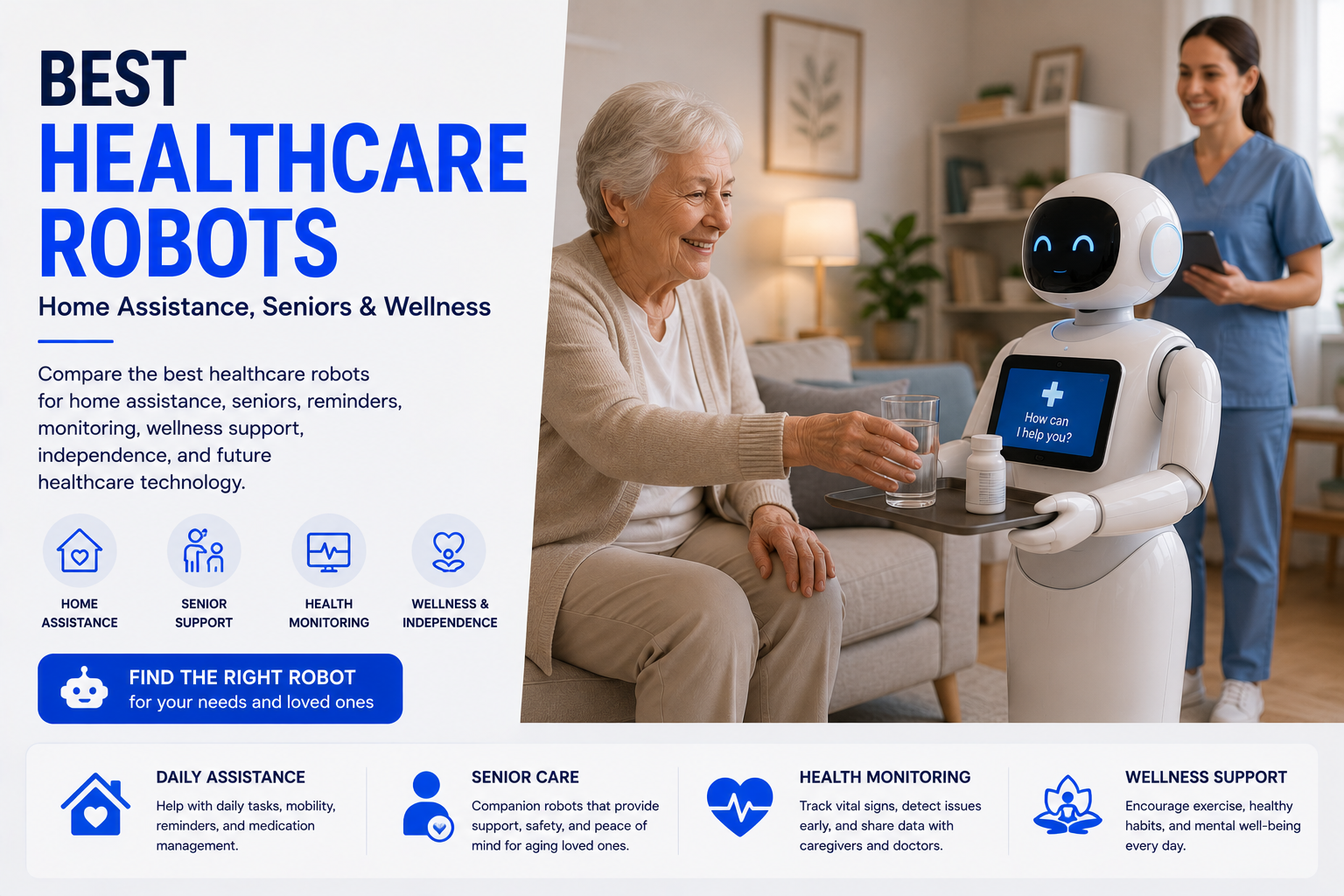
Complete healthcare robot buying guide covering senior support, AI assistance, safety, privacy, monitoring features, smart technology, and home use. Healthcare robots can support routines, communication, reminders, and independence, but they do not replace qualified care, diagnosis, treatment, supervision, or emergency services.
As an Amazon Associate, HomeBotGuide may earn from qualifying purchases at no extra cost to you.
Choose a healthcare robot by defining one specific care-support goal, then verify intended use, user consent, interface simplicity, emergency limitations, camera and microphone controls, caregiver permissions, subscriptions, offline behavior, software support, and backup plans. Never buy from medical-sounding claims alone.
Healthcare Robot Buying Guide at a Glance
Reminders, social engagement, telepresence, monitoring, or routine support.
Comfort with voice, cameras, movement, calls, and daily interaction.
Clear limitations, consent, account controls, recording, and secure access.
Family, caregivers, clinicians, alerts, escalation, and backup plans.
Healthcare Robot Buying Guide Comparison Table
| Option | Best For | Core Features | Important Limitation |
|---|---|---|---|
| Companion Robot | Engagement and reminders | Voice, activities, family app | Limited physical assistance |
| Telepresence Robot | Remote family contact | Video, navigation, large screen | Privacy and high cost |
| Monitoring Robot | Room-to-room checks | Camera, audio, patrols | No guaranteed emergency response |
| Medication Reminder | Scheduled routines | Alerts, logs, caregiver notices | Not medication administration |
| Medical Device Robot | Specific regulated use | Authorized medical function | Must verify exact intended use |
| Combined Care Platform | Coordinated support | Robot, sensors, family access | Complex setup and ownership |
What Healthcare Robots Can Actually Do
Home healthcare robots may provide reminders, communication, conversation, telepresence, routine monitoring, activities, and selected smart-home control. Their value is strongest when they perform one clear support role reliably.
They cannot independently diagnose illness, provide hands-on care, guarantee emergency response, or replace qualified professionals and family caregivers.
- Deliver reminders and structured routines.
- Support family and caregiver communication.
- Provide activities, engagement, and companionship.
- Enable selected mobile or stationary check-ins.
- Share limited updates with authorized users.
Main Types to Consider
Voice, activities, family app
Video, navigation, large screen
Camera, audio, patrols
Alerts, logs, caregiver notices
Step 1: Define the Care-Support Goal
Write down the exact task: social engagement, video calls, daily reminders, room-to-room communication, wellness routines, or simple home monitoring. Avoid buying a general robot with no defined role.
- Confirm the exact support goal and intended user.
- Verify privacy, permissions, and remote-access controls.
- Review subscriptions, updates, and service support.
- Maintain human and emergency backup plans.
Step 2: Verify Intended Use and Claims
Check whether the product is a consumer companion, telepresence platform, assistive technology, or regulated medical device. FDA maintains resources for authorized AI-enabled medical devices, but a medical-sounding marketing claim does not establish authorization.
- Confirm the exact support goal and intended user.
- Verify privacy, permissions, and remote-access controls.
- Review subscriptions, updates, and service support.
- Maintain human and emergency backup plans.
Step 3: Evaluate the User Experience
Test voice recognition, screen size, hearing accessibility, language support, caregiver setup, remote troubleshooting, mobility, camera indicators, physical buttons, and the ability to stop or mute the device.
- Confirm the exact support goal and intended user.
- Verify privacy, permissions, and remote-access controls.
- Review subscriptions, updates, and service support.
- Maintain human and emergency backup plans.
Step 4: Build Privacy and Backup Plans
Define who can access the device, what is recorded, where data is stored, how accounts are removed, what happens during outages, and which human or emergency service responds when an alert matters.
- Confirm the exact support goal and intended user.
- Verify privacy, permissions, and remote-access controls.
- Review subscriptions, updates, and service support.
- Maintain human and emergency backup plans.
Robots Support Care—They Do Not Replace It
Consumer robots can fail, misunderstand commands, miss events, lose connectivity, or create false reassurance.
Use qualified healthcare professionals, caregivers, medical alert systems, smoke and carbon-monoxide alarms, medication-management services, and emergency services whenever those protections are needed.
Reminders, Monitoring, and Alerts
Evaluate which reminders are delivered, how caregivers confirm them, whether alerts can be escalated, and what happens when the user does not respond. A notification is not the same as a completed care task.
Privacy, Consent, and Dignity
Healthcare robots may collect voice, video, routines, wellness information, medication schedules, and family communications. Use informed consent, limited accounts, secure authentication, minimal recording, and clear controls for disabling cameras and microphones.
Connectivity, Accessibility, and Support
Test voice recognition, screen readability, hearing support, language, Wi-Fi coverage, physical controls, caregiver setup, troubleshooting, and outage behavior in the actual home.
Subscriptions and Long-Term Ownership
Include hardware, service plans, family apps, cloud features, replacement parts, batteries, connectivity, technical support, and the risk that cloud-dependent features may change or end.
How to Build a Safe Care Plan
Assign the robot a narrow support role.
Limit access and recording clearly.
Plan for outages, missed alerts, and low battery.
Maintain caregivers and emergency response.
How We Evaluated the Options
We prioritized usefulness, accessibility, reminders, communication, privacy, consent, reliability, outage behavior, caregiver access, subscription cost, intended use, support, software updates, emergency limitations, and integration with human care.
Final Verdict
Choose a healthcare robot by defining one specific care-support goal, then verify intended use, user consent, interface simplicity, emergency limitations, camera and microphone controls, caregiver permissions, subscriptions, offline behavior, software support, and backup plans. Never buy from medical-sounding claims alone.
Healthcare Robot Buying Guide FAQ
What should I decide before buying a healthcare robot?
Decide the exact problem the robot must solve and who will manage setup, alerts, maintenance, and support.
How do I know whether it is a medical device?
Check the exact manufacturer's intended use and FDA authorization status rather than relying on the product name or advertising.
What privacy questions should I ask?
Ask about video and audio recording, cloud storage, encryption, user permissions, caregiver access, data sharing, export, and deletion.
Should the user consent to monitoring?
Yes, informed consent and dignity should guide camera, microphone, recording, and remote-access decisions whenever possible.
What emergency features are essential?
Clear call controls, reliable communication, low-battery alerts, outage behavior, and integration with a dedicated emergency plan are more important than unverified AI claims.
Can a robot manage medications?
It can remind or log, but medication dispensing or administration requires careful verification, professional guidance, and an appropriate regulated system.
What subscription terms should I review?
Review family apps, cloud services, AI features, support, connectivity, cancellation, data retention, and what functions remain afterward.
How long should software support last?
The vendor should provide a credible update and service history, but buyers should assume cloud-dependent products may not last as long as furniture or medical equipment.
How should I test the robot at home?
Test voice, calls, alerts, mobility, Wi-Fi dead zones, caregiver access, privacy controls, low battery, and outage behavior.
What is the biggest buying mistake?
Expecting a consumer robot to replace human care, medical judgment, supervision, or emergency services.