
Best Robot Vacuums for Multiple Floors
Learn which robot vacuums work best in multi-story homes with smart mapping, floor recognition, and efficient navigation features. This guide explains the major options, practical tradeoffs, maintenance needs, and buying considerations.
As an Amazon Associate, HomeBotGuide may earn from qualifying purchases at no extra cost to you.
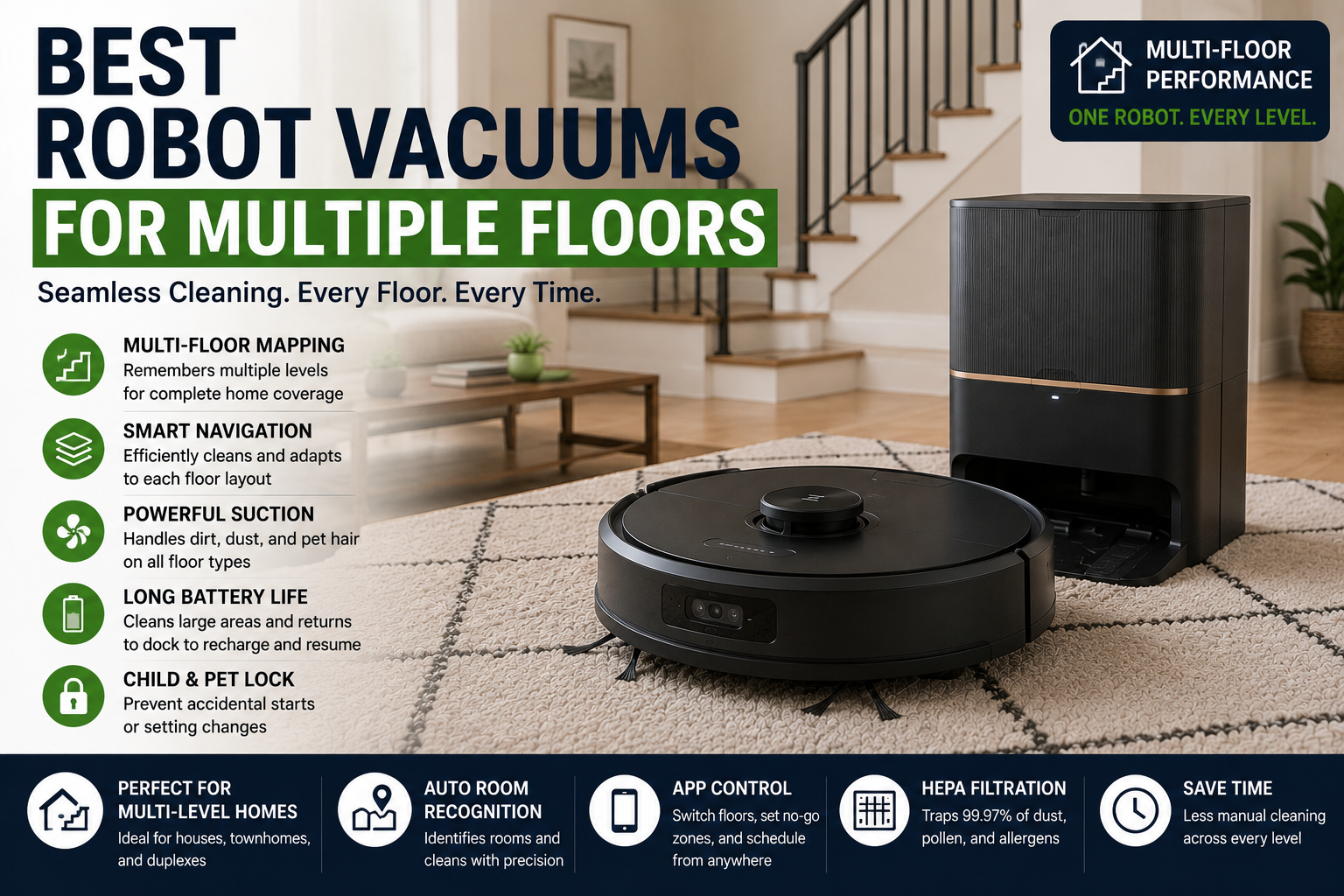
The best robot vacuum for multiple floors stores several maps, recognizes each level, resumes cleaning after charging, and maintains accurate room labels and no-go zones. Most robots cannot climb stairs, so the owner still has to carry the robot—and sometimes the charging dock—between floors.
Best Robot Vacuums for Multiple Floors at a Glance
Stores several floor plans and reduces bin interruptions.
Covers broad spaces and resumes after charging.
Adjusts suction and mopping behavior by surface.
Easy to carry between floors and dock manually.
Best Robot Vacuums for Multiple Floors Comparison Table
| Type | Best For | Core Features | Important Limitation |
|---|---|---|---|
| Multi-Map Robot | Two- and three-story homes | Several saved maps, room labels, no-go zones | Must be carried between floors |
| Self-Emptying Robot | Large debris loads | Automatic bin emptying | Dock usually stays on one floor |
| Long-Battery Robot | Large individual floors | Extended runtime and recharge-resume | Longer cleaning cycles |
| Compact Robot | Frequent carrying | Lower weight and smaller body | Smaller battery and bin |
| Vacuum-and-Mop Combo | Mixed hard floors and carpet | Surface detection and mop control | Water management between floors |
| Budget Mapping Robot | Simple multi-level homes | Basic map storage and scheduling | Fewer advanced controls |
What to Consider First
Begin with the actual home layout, floor types, cleaning frequency, debris load, and maintenance tolerance. The strongest choice is the system that can complete the real routine reliably.
- Match the cleaning method to the actual surfaces.
- Check navigation, battery, and dock requirements.
- Review ongoing maintenance and consumable cost.
- Confirm replacement parts and support.
Main Options to Consider
Several saved maps, room labels, no-go zones
Automatic bin emptying
Extended runtime and recharge-resume
Lower weight and smaller body
How Multi-Floor Mapping Works
The robot stores separate maps and uses sensors to determine which floor it is on. Accurate recognition depends on distinct room geometry and a complete initial mapping run.
- Follow the manufacturer guidance for the specific model.
- Check compatibility with the real floor plan and surfaces.
- Review maintenance and replacement-part requirements.
- Keep a manual cleaning backup available.
One Dock or Multiple Docks
Some households keep one dock on the main floor and carry the robot elsewhere. Additional docks improve convenience only when the model supports them.
- Follow the manufacturer guidance for the specific model.
- Check compatibility with the real floor plan and surfaces.
- Review maintenance and replacement-part requirements.
- Keep a manual cleaning backup available.
Carrying Weight and Design
A lighter robot with secure handholds is easier to move. Full-service docks are much less portable than the robot itself.
- Follow the manufacturer guidance for the specific model.
- Check compatibility with the real floor plan and surfaces.
- Review maintenance and replacement-part requirements.
- Keep a manual cleaning backup available.
Battery and Resume Behavior
Each floor should fit within the robot's real runtime or support recharge-resume from an accessible dock.
- Follow the manufacturer guidance for the specific model.
- Check compatibility with the real floor plan and surfaces.
- Review maintenance and replacement-part requirements.
- Keep a manual cleaning backup available.
Map Management
Look for easy map naming, room division, merging, no-go zones, and recovery from accidental map changes.
- Follow the manufacturer guidance for the specific model.
- Check compatibility with the real floor plan and surfaces.
- Review maintenance and replacement-part requirements.
- Keep a manual cleaning backup available.
Mixed Flooring
Surface detection should adjust suction and mopping so the robot does not drag wet pads across carpet.
- Follow the manufacturer guidance for the specific model.
- Check compatibility with the real floor plan and surfaces.
- Review maintenance and replacement-part requirements.
- Keep a manual cleaning backup available.
Stairs and Drop Sensors
Reliable cliff sensors are essential, but stair edges should still be kept clear and tested.
- Follow the manufacturer guidance for the specific model.
- Check compatibility with the real floor plan and surfaces.
- Review maintenance and replacement-part requirements.
- Keep a manual cleaning backup available.
Cleaning Strategy by Floor
Schedule high-traffic floors more often and use targeted room cleaning on quieter levels.
- Follow the manufacturer guidance for the specific model.
- Check compatibility with the real floor plan and surfaces.
- Review maintenance and replacement-part requirements.
- Keep a manual cleaning backup available.
Automation Still Requires Maintenance
Robot vacuums reduce repetitive floor cleaning but still require preparation, brush care, filter replacement, dock maintenance, and periodic manual deep cleaning.
How We Evaluated the Options
We prioritized real-world cleaning, navigation, battery, serviceability, bin and dock design, obstacle handling, replacement parts, warranty, software support, and total ownership value.
Final Verdict
The best robot vacuum for multiple floors stores several maps, recognizes each level, resumes cleaning after charging, and maintains accurate room labels and no-go zones. Most robots cannot climb stairs, so the owner still has to carry the robot—and sometimes the charging dock—between floors.
Best Robot Vacuums for Multiple Floors FAQ
Can a robot vacuum clean multiple floors?
Yes, but it must usually be carried between levels.
How many maps should it store?
Enough for every floor you want to clean regularly.
Do I need a dock on each floor?
Not always, but multiple docks can improve convenience if supported.
Will the robot recognize the floor automatically?
Many do after maps are saved, though recognition can occasionally fail.
Can it climb stairs?
No consumer robot vacuum can safely climb normal household stairs.
Can I use mopping on multiple floors?
Yes, but water and pad handling become more complicated.
What happens if the wrong map loads?
Pause the run, select the correct map, and prevent overwriting until the floor is identified.
Is a lightweight robot better?
It is easier to carry, though compact models may sacrifice bin or battery capacity.
Do cliff sensors protect stairs?
They help, but sensors should be tested and kept clean.
What is the biggest limitation?
Manual transport between levels remains unavoidable.